
Take cash on delivery & bank transfers too.
Some customers still want to pay on delivery or transfer to your bank. Offer both on your form, and approve each order once the money is in.
Trusted by these companies













































What you get
Offer cash on delivery and transfers to up to 3 accounts, then approve once money lands.
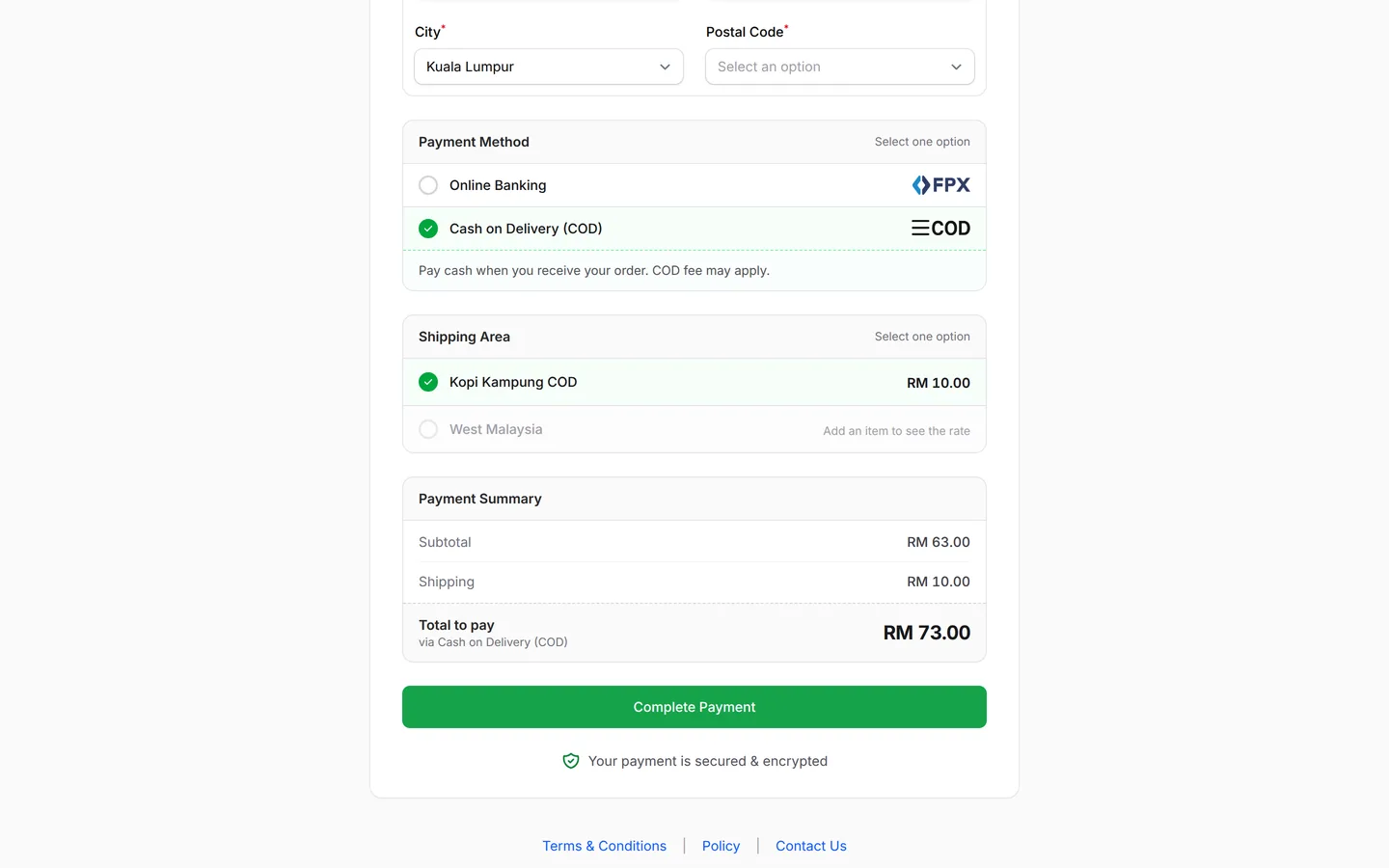
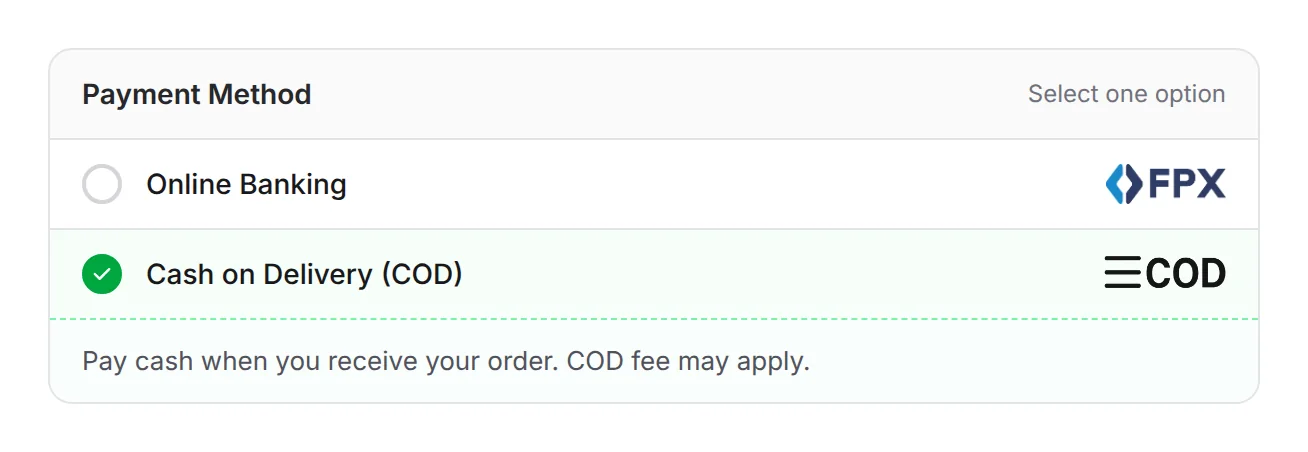
Let buyers pay on delivery
Add Cash on Delivery (COD) to a form's Payment Option, right next to online banking. Buyers who prefer not to pay first can still order, and they hand over the cash when the parcel arrives. To charge extra on COD orders only, add a shipping option limited to the COD payment channel.
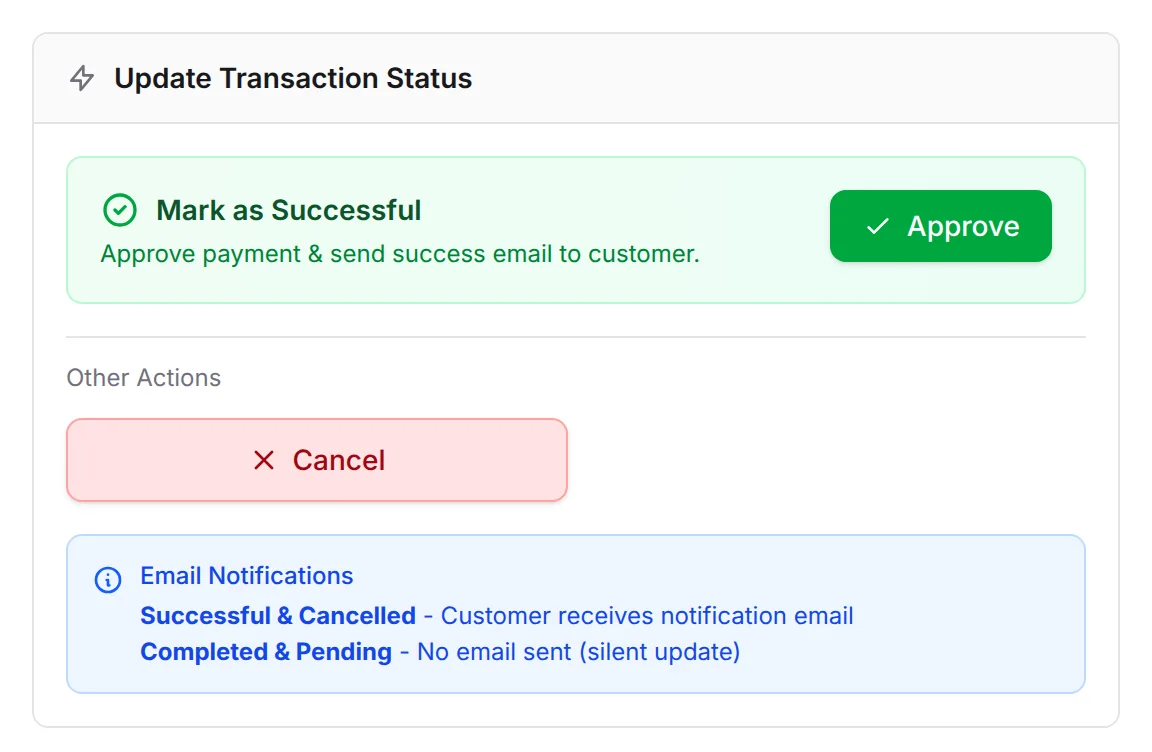
Approve when the money is in
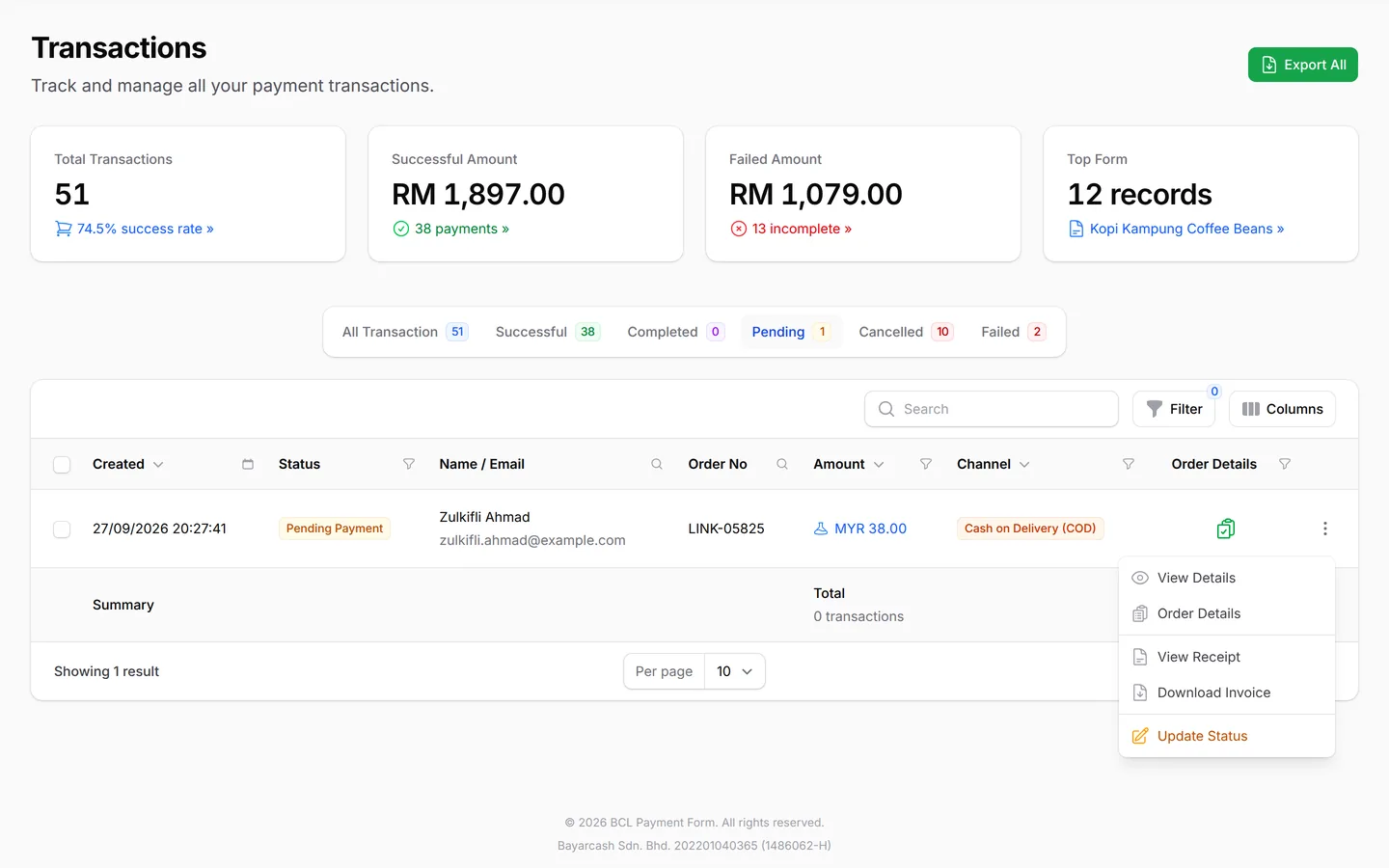
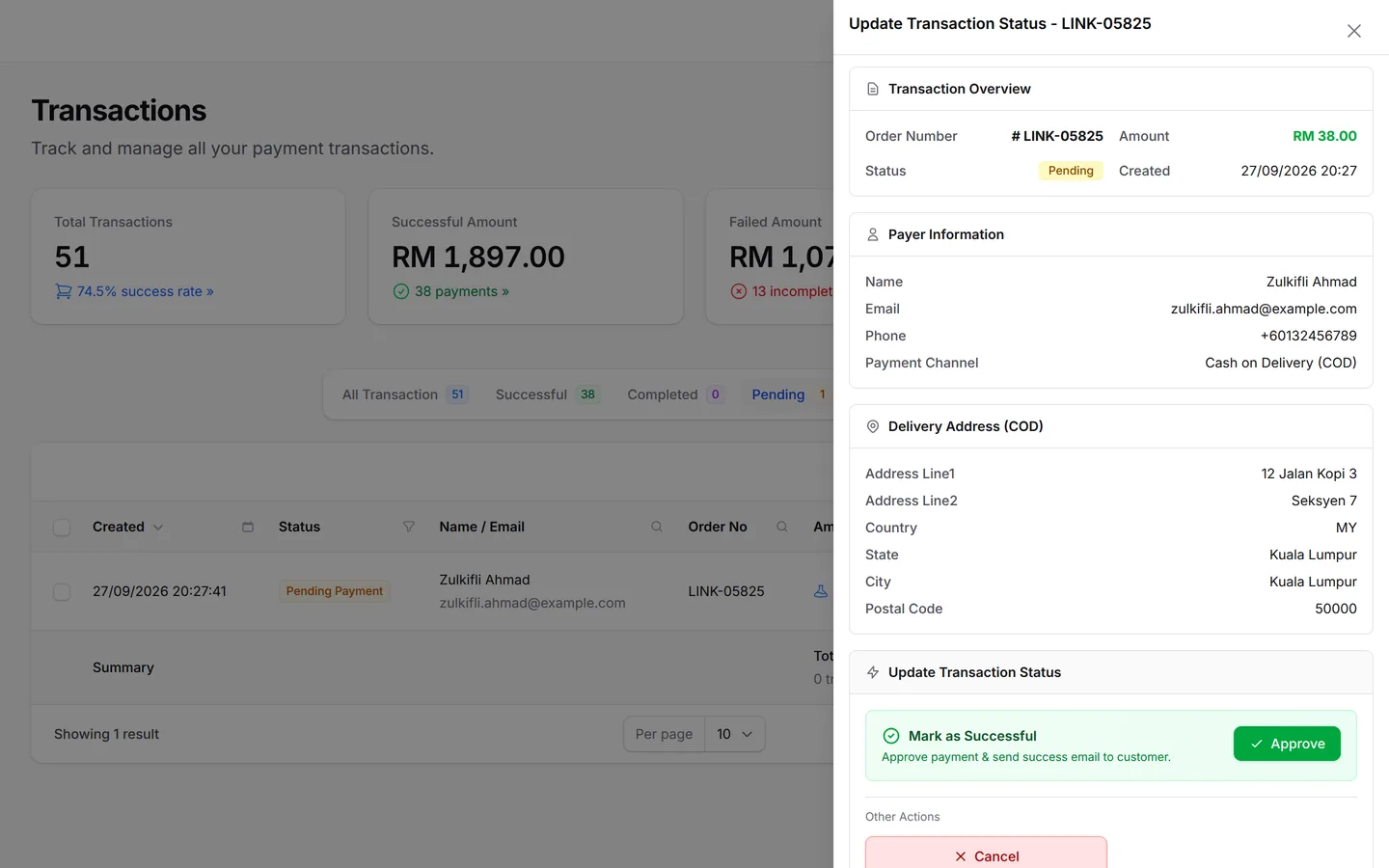
COD and transfer orders wait as Pending Payment until the money is really in. Once you have the cash or see the transfer, open Update Status and click Approve, and BCL emails the buyer a success notice. Tick several orders and use Bulk actions to approve a whole day's deliveries in one go.
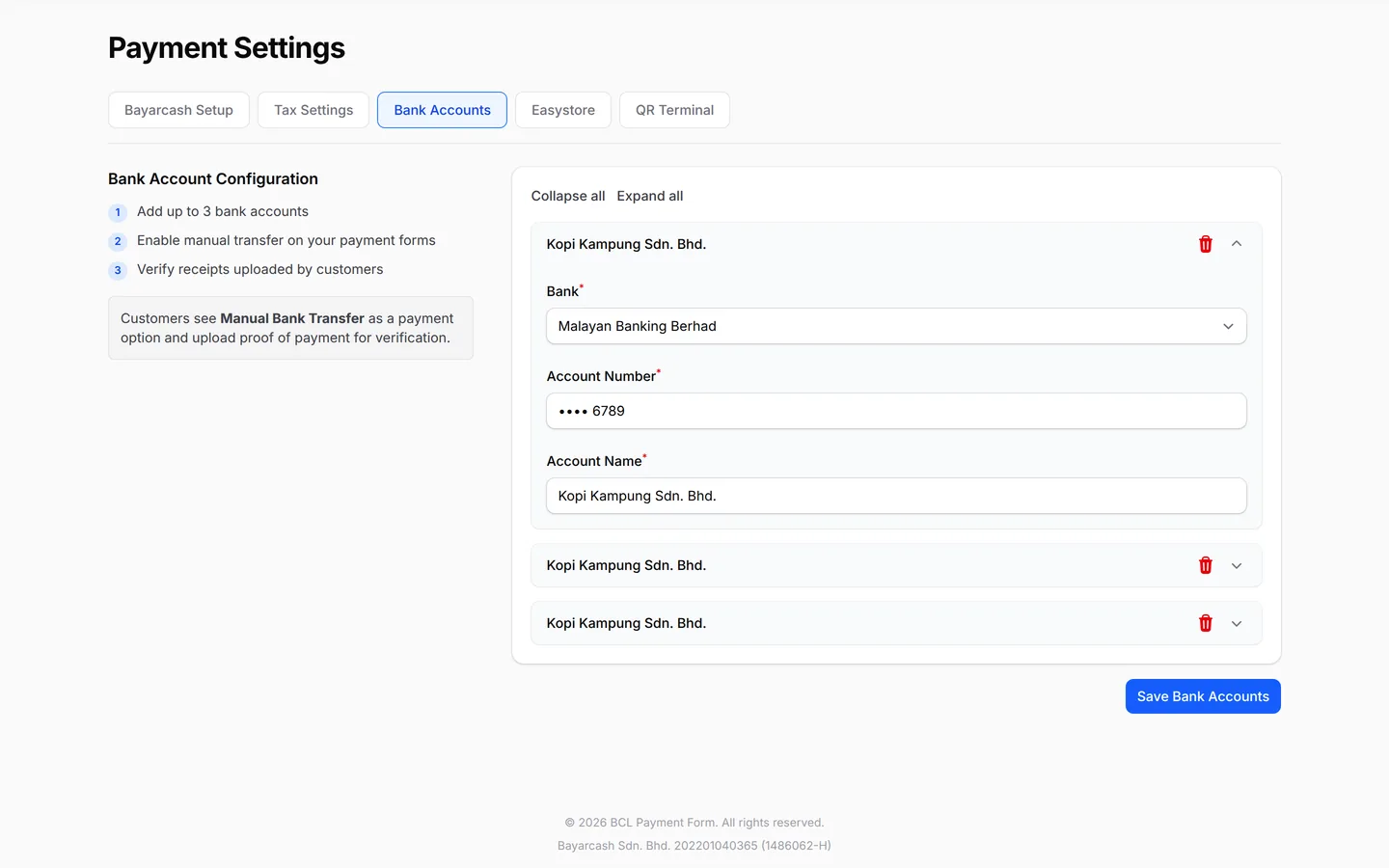
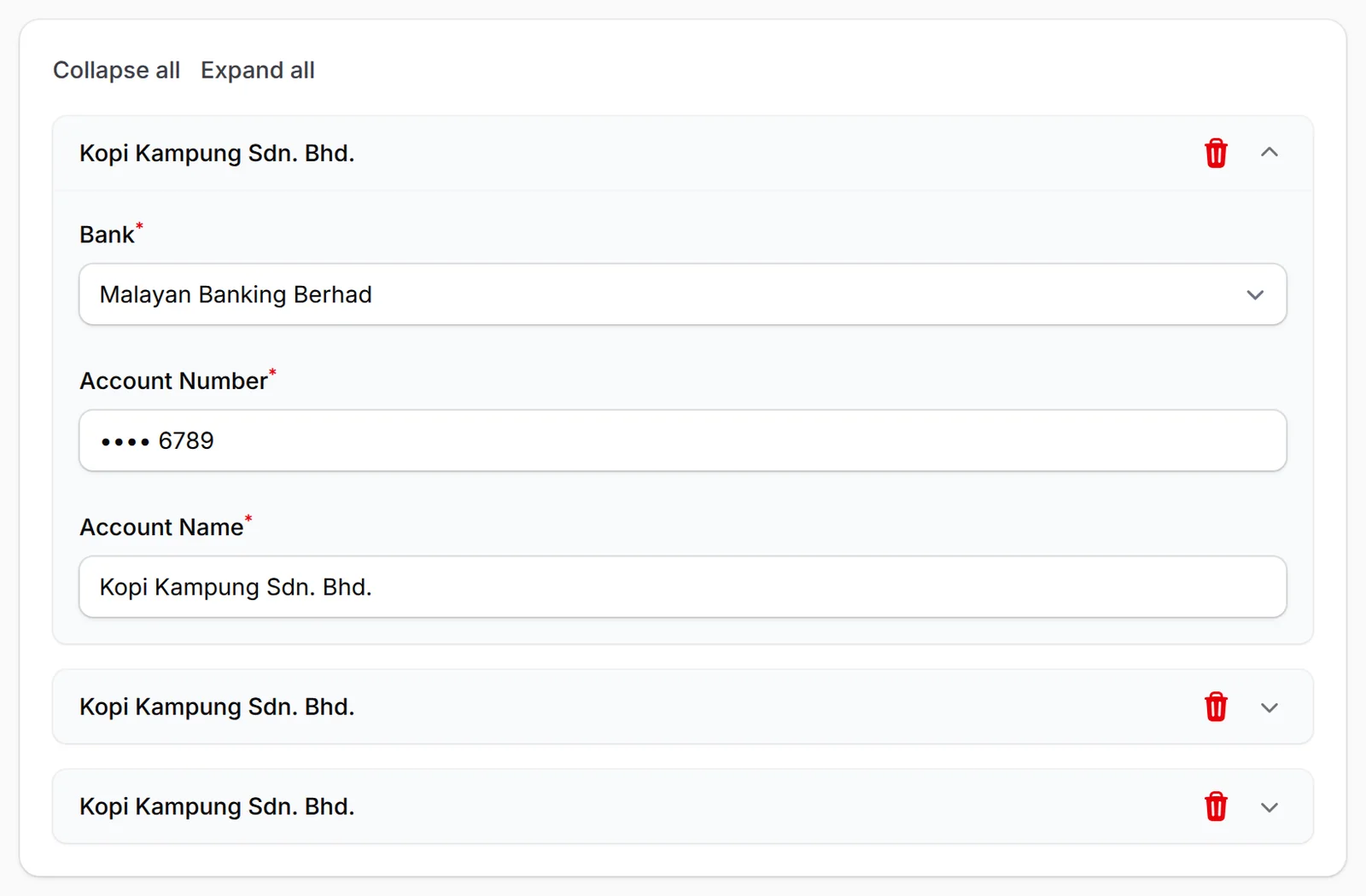
Up to 3 bank accounts
List up to 3 bank accounts for Manual Bank Transfer, on the Bank Accounts tab of your payment settings. At checkout, the buyer picks the account they paid into and must upload their receipt before submitting, giving you proof to match against your bank statement. COD needs no bank account at all.
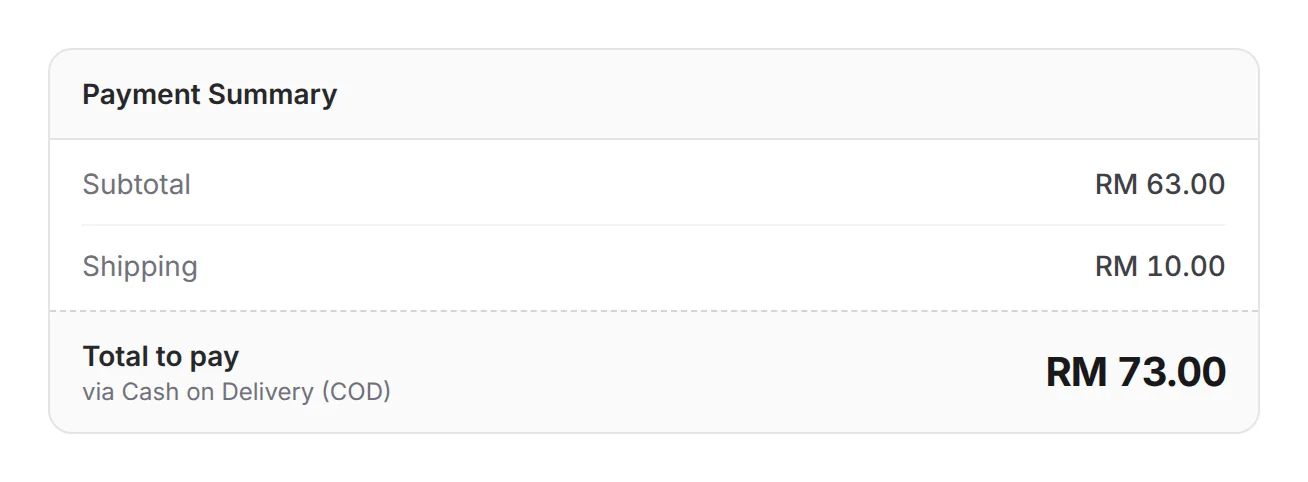
Shipping & total, clear up front
Before confirming, the buyer sees the subtotal, the shipping charge and the total they will hand over on delivery. Clear numbers up front mean fewer awkward surprises at the door. The shipping line follows the rates you set in Shipping & Rates, including any extra charge you add for COD.
What you can do
Add a COD charge, hide COD for some states and approve orders one by one or in bulk.
Turn it on per form
Add Cash on Delivery (COD), Manual Bank Transfer or both to a form's Payment Option.
Up to 3 bank accounts
Add them under Platform Setup → Payment → Bank Accounts. Customers pick which one they paid into.
A COD charge
Add a shipping option with a Fixed Charge (RM) and limit it to Cash on Delivery (COD) under Rules. It shows only when the customer picks COD.
Hide COD by state
Use Channel Restrictions to hide COD in Sabah and Sarawak, for example.


Shipping rules by region
This add-on also unlocks the Rules panel on shipping options, so a rate can be limited to certain states.
Ship COD with your courier
With Courier Integration, EasyParcel shows which services can collect cash on a COD order.





Approve one or many
Update Status → Approve on one order, or tick several and use Bulk actions → Mark As Successful. BCL emails the customer a success notice.
Your ads still count COD sales
Meta, TikTok and Google Ads can count the order when it is placed. GA4 counts it when you approve it.
Learn moreUsed by
Neighbourhood cookie deliveries, transfer-paying boutique buyers, fee slips and donor transfers all fit here.
Jobs it helps with
Good to know
Limits to check before you build, and the add-ons that some features need.
- Needs the COD & Manual Transfer add-on.
- Needs the COD & Manual Transfer add-on. Without it, bank account fields stay locked and neither method shows on forms.
- BCL cannot see cash or bank transfers. Each order stays Pending Payment until you approve it.
- A pending COD order is not counted in dashboard totals until you approve it.
- COD and bank transfer orders reach Meta and TikTok when approved (or when placed, with Trigger Purchase Event on Pending), via the API token.
- No refund button: refund outside BCL, then cancel the order.
See it live
Opens a live example page. Please do not pay.
- Payment form Madu Kelulut and Dodol from Kampung Hulu Cash on Delivery Hasil Kampung Hulu, a village seller of stingless-bee honey and dodol Open the example
- Payment form Monthly Tuition Fee: Form 3 Maths Single Amount Cerdik Tuition Centre, a tuition centre collecting its RM 120 monthly class fee Open the example
Questions owners ask
Pending COD orders, COD-only charges, hiding COD for East Malaysia and couriers collecting cash.
Why is a COD order still pending after the customer paid?
BCL cannot see cash or bank transfers. Find the order in Transactions, open the menu on its row, click Update Status and click Approve under Mark as Successful.
Can I charge extra only for COD orders?
Yes. Add a shipping option with a Fixed Charge (RM), then click Rules and choose Cash on Delivery (COD) in Payment Channels. The charge appears only when the customer picks COD.
Can I hide COD for Sabah and Sarawak?
Yes. On Shipping & Rates, open Channel Restrictions, add one for Cash on Delivery (COD), set Mode to Hide In and select the states.
Can my courier collect the cash?
With the Courier Integration add-on, EasyParcel shows Create Shipment only on services that offer COD. The others show COD Not Available.
Do I need an add-on?
Not to start. Payment forms, payment links, coupons and transactions need no add-on. Add-ons unlock Event Management, Lead Forms, OTP-Protected Content, COD & Manual Transfer, LHDN E-Invoice and Courier Integration. Each is monthly or yearly, renewals are invoiced (never auto-charged), and you can cancel yourself.
How do refunds work?
BCL has no refund button. Return the money to your customer yourself (for example by bank transfer), then cancel the order in BCL so your records match.
Step-by-step guides
Set it up with the help pages on docs.bcl.my.
Ready when you are.
Set up your first form today and try it out. When you are ready for real payments, connect Bayarcash and the same form goes live.