
Every sale, straight into your own system.
A webhook tells your app about each sale as it happens. API tokens let your website or app read your BCL data and create payment links.
Trusted by these companies










































What you get
Your sales reach your own apps by themselves, with keys only you control.
Tell your system the moment it sells
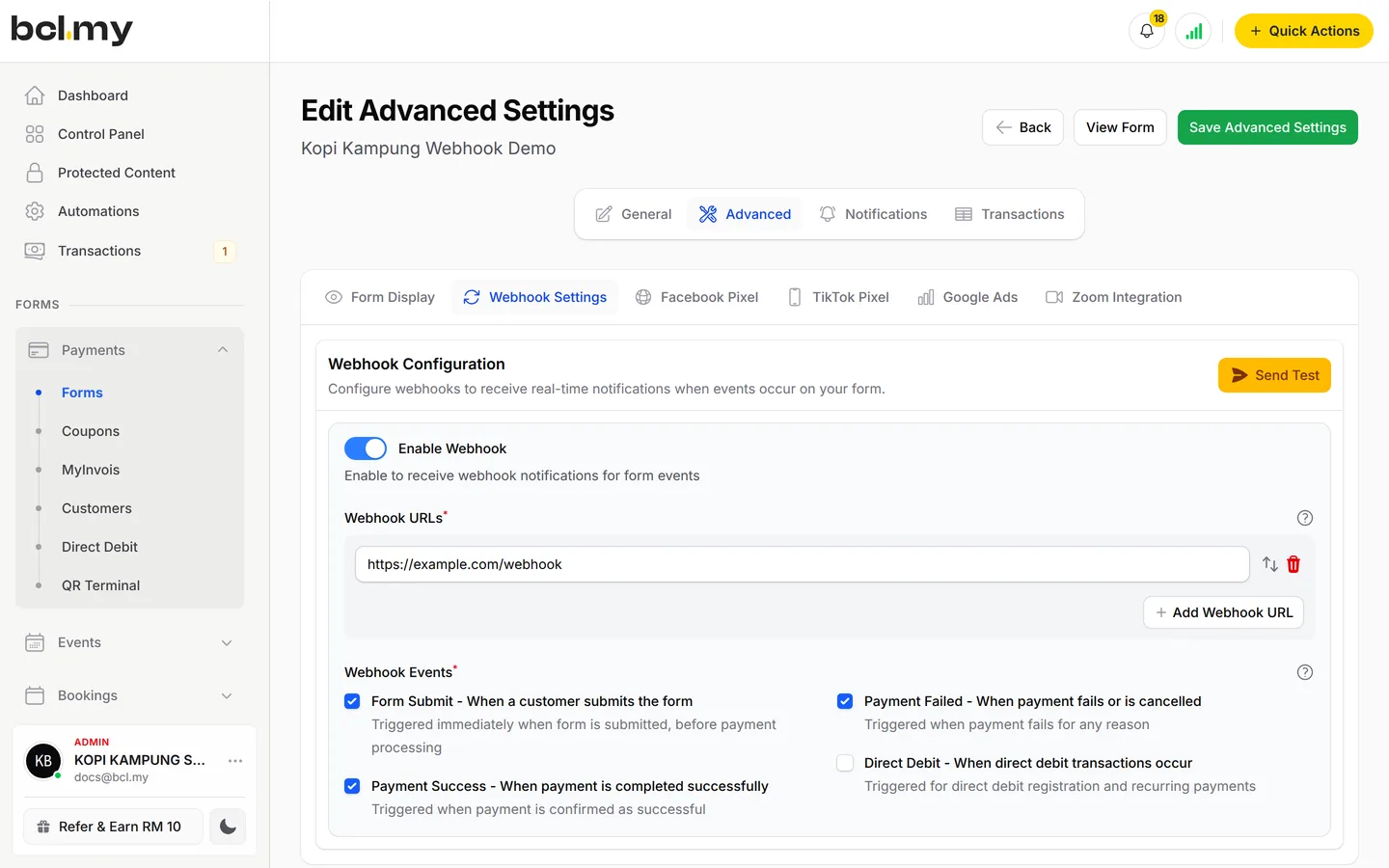
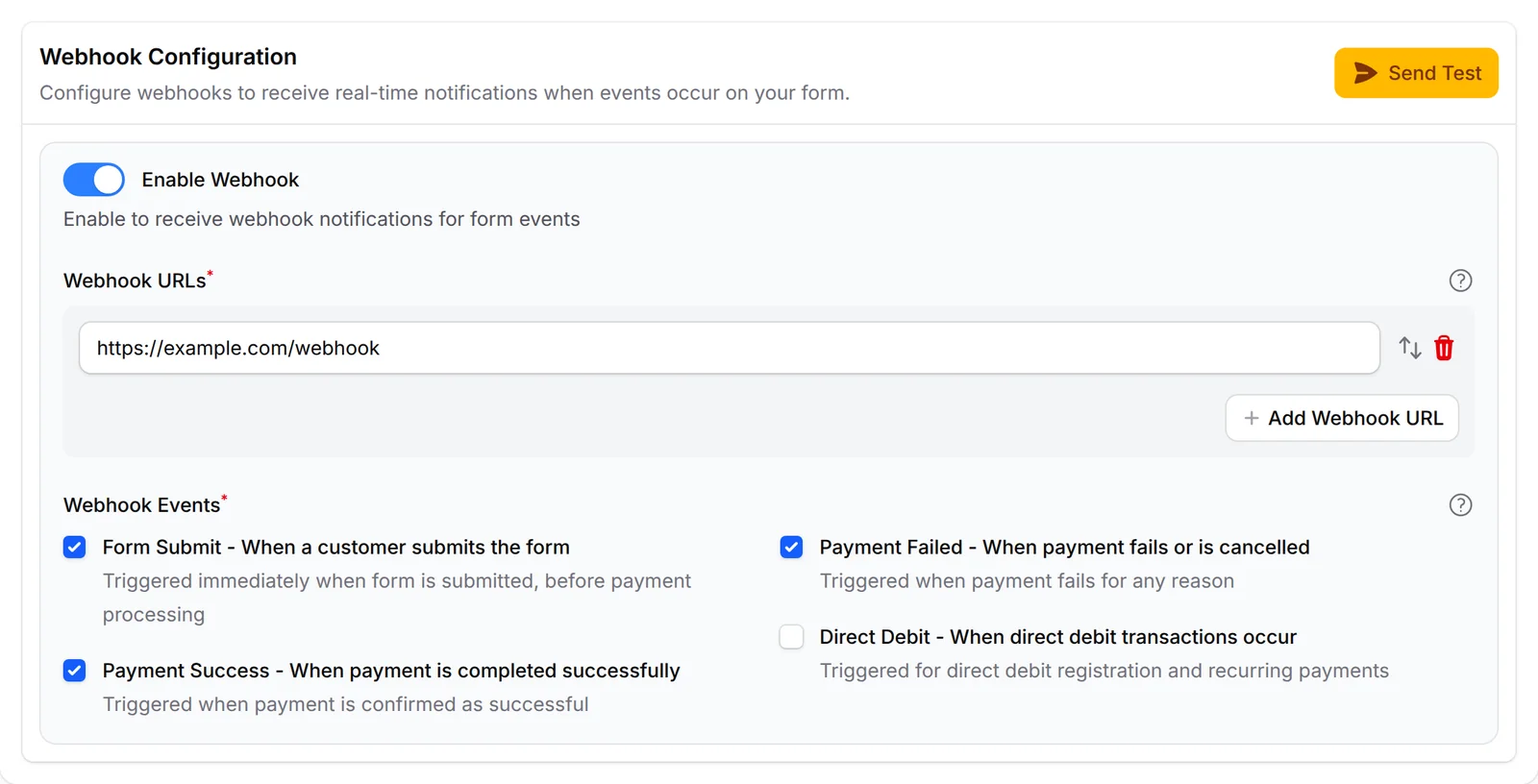
Turn on Enable Webhook in a form's Webhook Settings, add your https URL and tick the events: Form Submit, Payment Success or Payment Failed. Send Test posts a sample first, so you can check your endpoint before real customers pay.
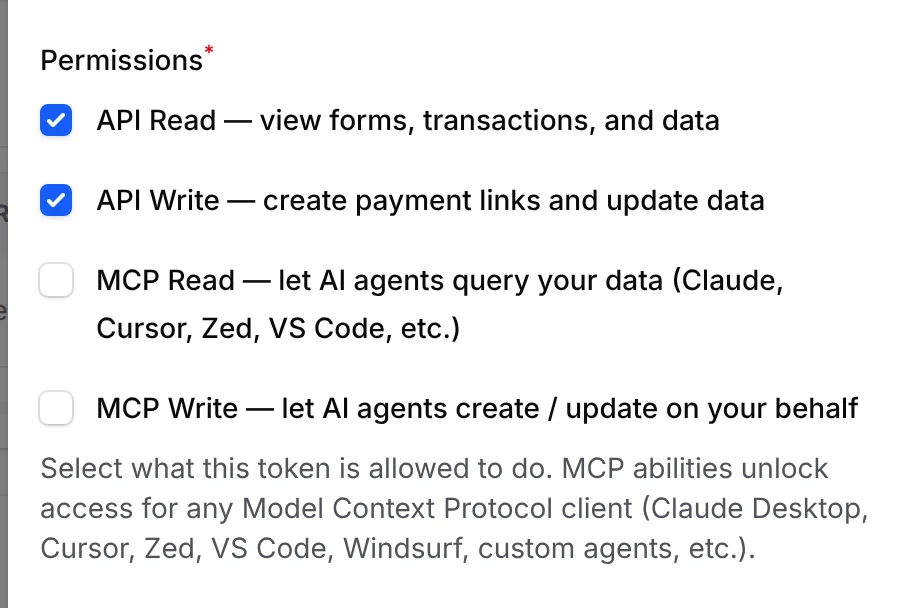
A key for each app, with only what it needs
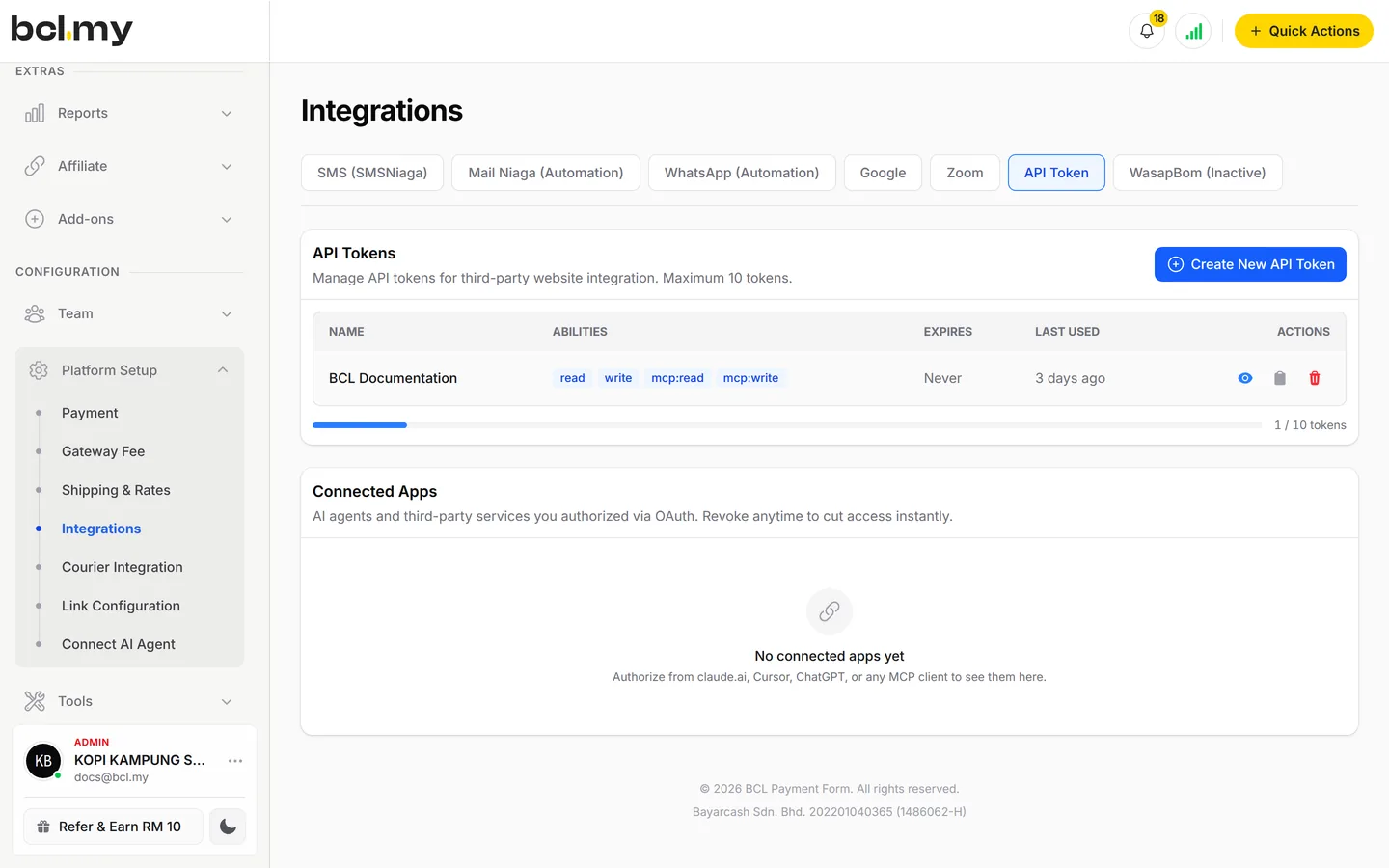
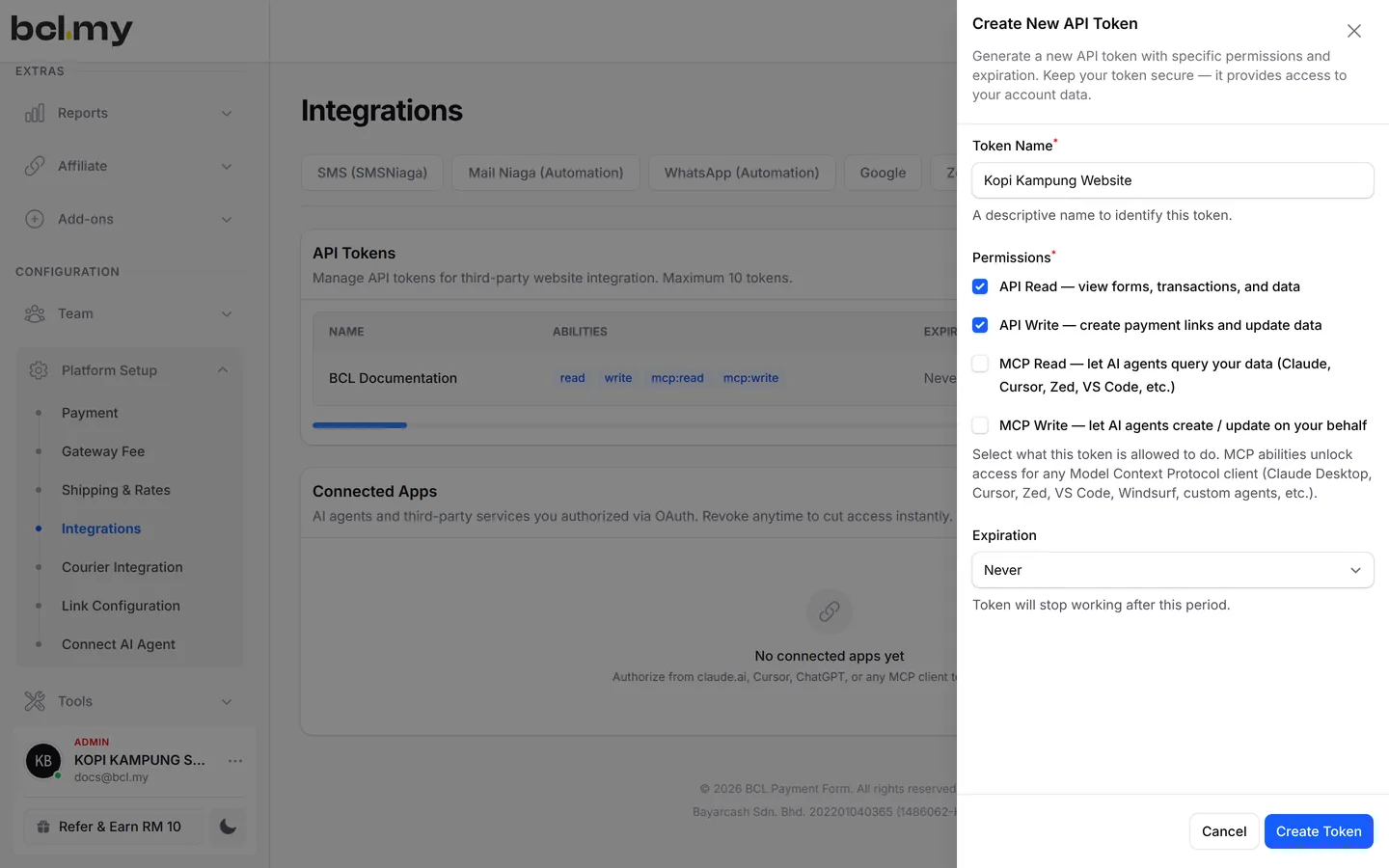
Each API token gets only the permissions you tick: API Read to read your data, API Write to create payment links and update it. Give each app its own token and expiry, and delete one without touching the rest.
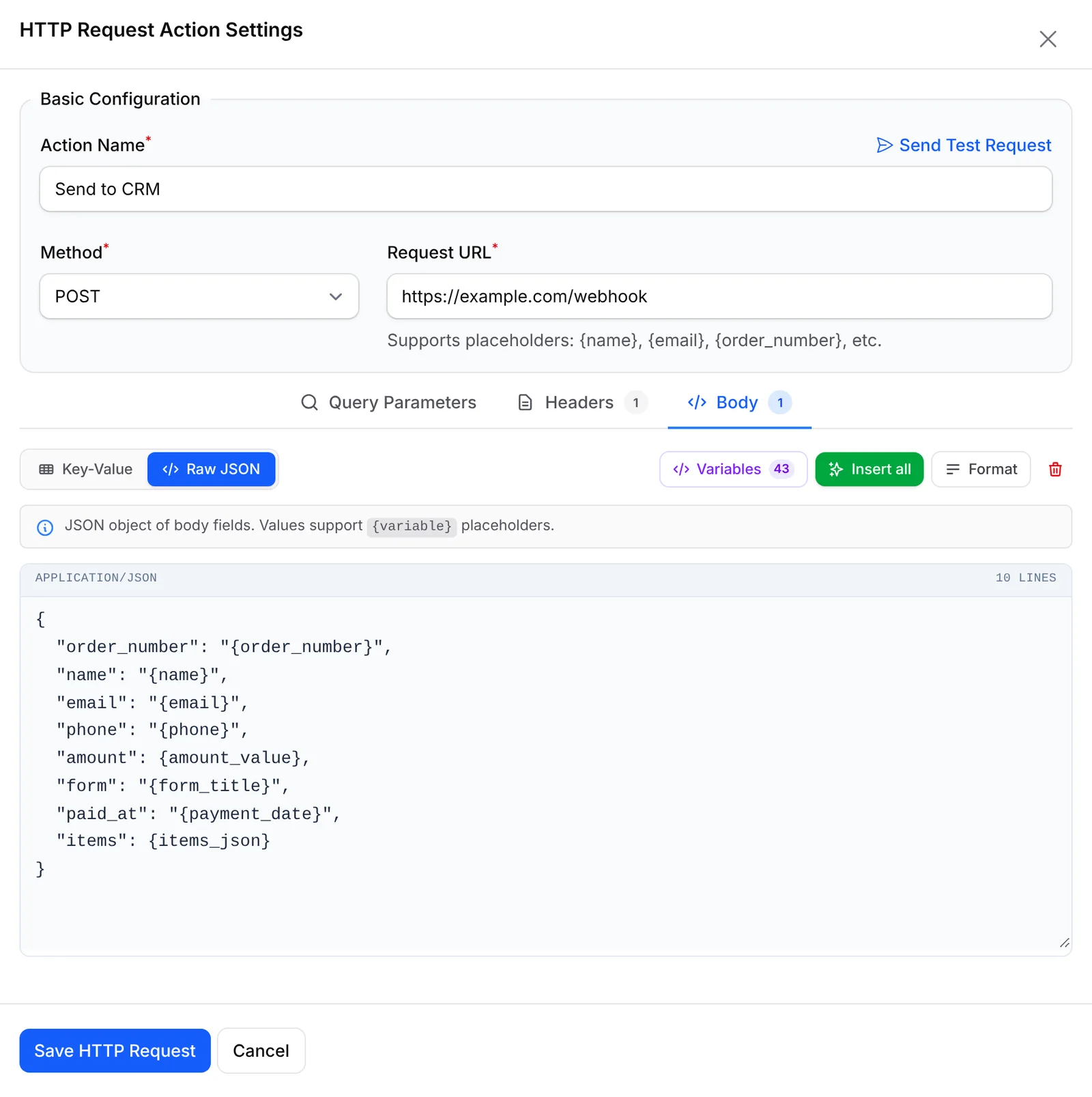
Post every order to your CRM
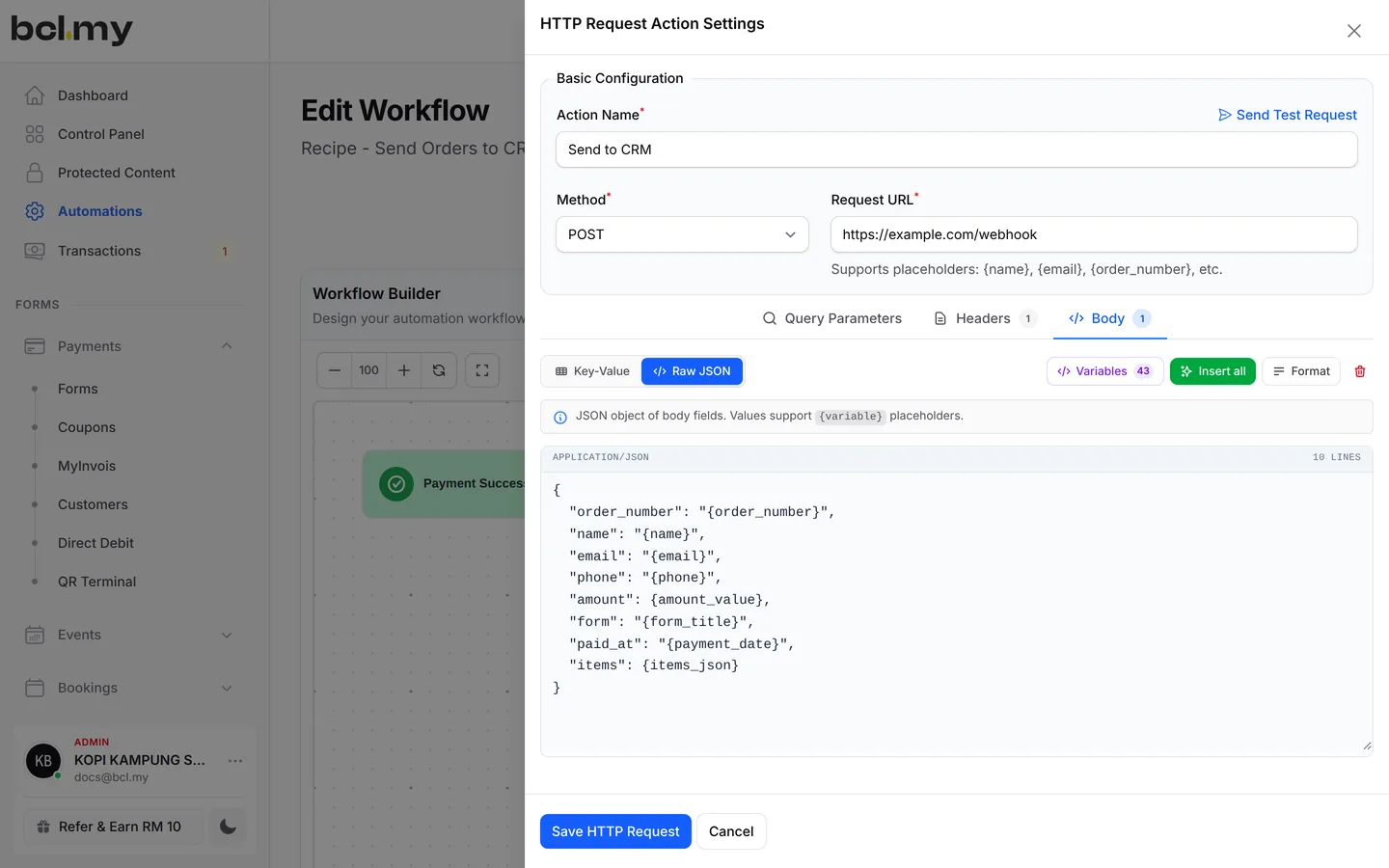
An automation with an HTTP Request step sends each paid order to your own system as JSON. Pick POST, set the URL, and build the body from variables like the order number, name and items.
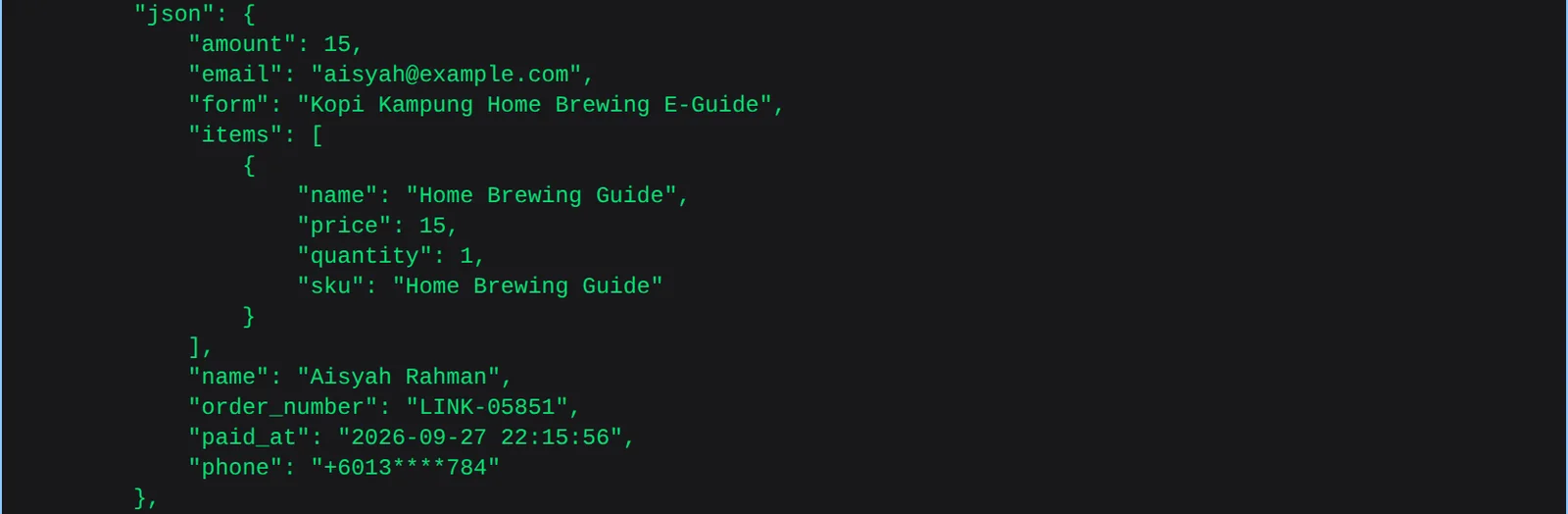
Clean JSON your developer can use
The order arrives with the amount, buyer, form, items, order number and paid time, ready to save in your records. Every delivery is kept in the logs, so a failed one can be sent again.
What you can do
Webhooks, logs, tokens and automations: the pieces developers ask for.
Webhooks on every form
Turn on Enable Webhook under Advanced > Webhook Settings and add up to 10 https URLs.
Pick the events
Choose form-submit, payment-success and payment-failed. Direct Debit and affiliates have their own webhooks.
Test before you go live
Send Test posts a sample payload to your URL and shows the status code your endpoint returns.
Webhook Logs
Every attempt is in Tools > Webhook Logs with the payload and reply. Resend a failed one in one click.
API tokens
Create up to 10 per Admin under Platform Setup > Integrations, each with API Read or API Write.
Create payment links by API
With API Write, your website or app can create payment links and update data in BCL.
Send orders to your CRM
An automation with an HTTP Request action posts every paid order as JSON to your own system.
Used by
Businesses that already run their own records, stock or member systems.
Jobs it helps with
Good to know
Limits to check before you build, and the add-ons that some features need.
- BCL does not retry a failed webhook by itself. Resend it from Webhook Logs.
- Webhook URLs must start with https://, and you can add up to 10 on each form.
- Token permissions cannot change later. Create a new token and delete the old one.
- API tokens and MCP tokens are separate. An API-only token does not work with an AI agent.
Questions owners ask
Testing a webhook, what a token can do, and what happens on import.
How can my own system know when a payment comes in?
Turn on the webhook for the form and tick Payment Success. BCL posts the order, buyer, items and custom fields to your URL as soon as the payment is confirmed.
I added my webhook URL but receive nothing. How do I test it?
Open the form's Webhook Settings tab and click Send Test. Pick an Event Type, check the Webhook URL and send. BCL shows the status code your endpoint returned.
What can an API token do?
API Read reads forms, transactions, customers, coupons and other data. API Write creates payment links and changes data. Tick only what the app needs.
I lost my token. Do I need a new one?
No. On the API Token tab, click View token or Copy token on its row. BCL keeps the token so you can see it again, until it expires.
Will importing old records fire my webhook?
Only if you tick Run webhooks and automations on the import page. Leave it off if you only want the records in BCL.
Step-by-step guides
Set it up with the help pages on docs.bcl.my.
Ready when you are.
Set up your first form today and try it out. When you are ready for real payments, connect Bayarcash and the same form goes live.