
Every sale in one place.
Find any payment by name, phone or order number, open its receipt, export the month for your accounts, and watch sales land on a Live Dashboard.
Trusted by these companies













































What you get
Search any sale, hand clean exports to your accountant and add sales you took outside BCL.
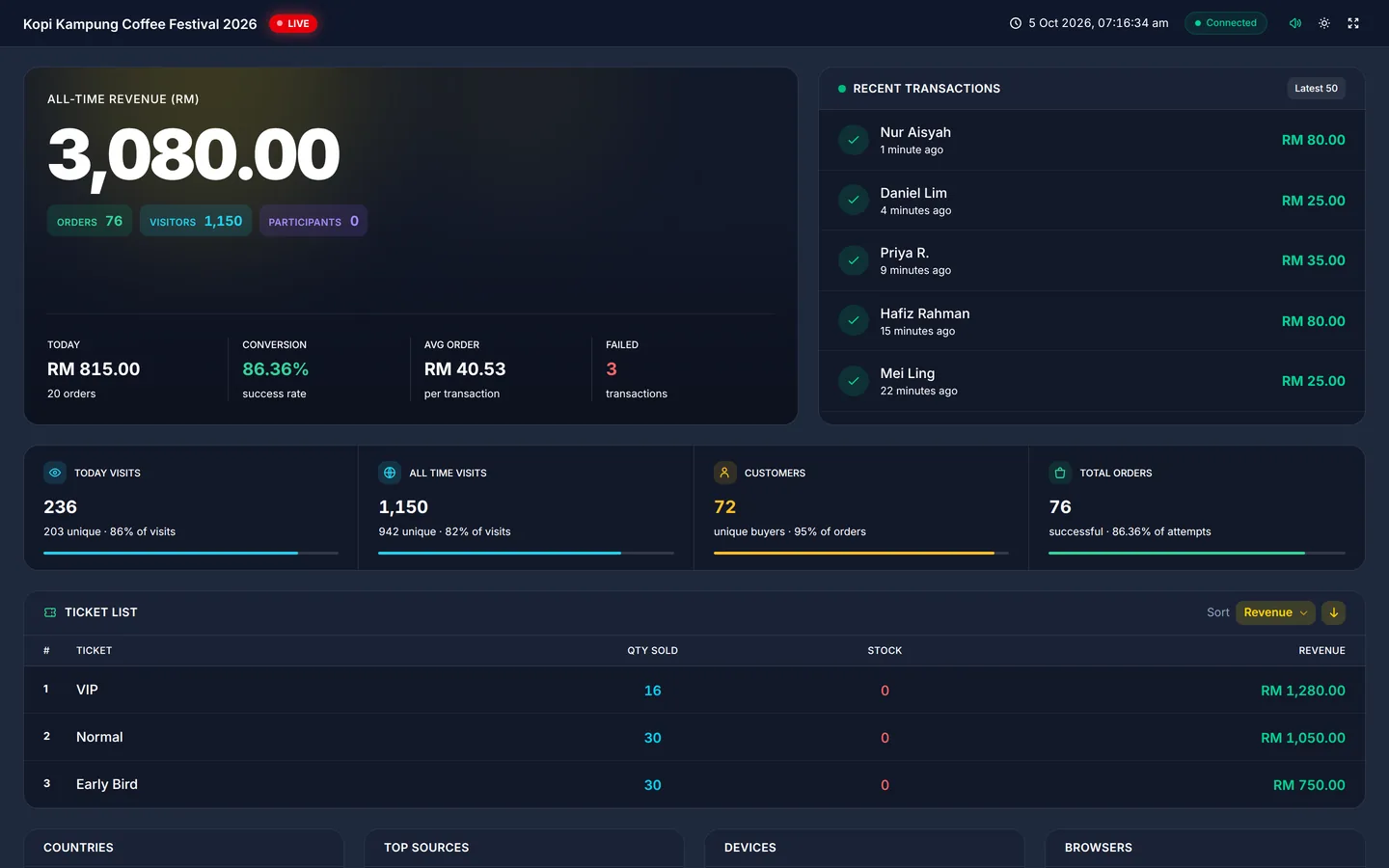
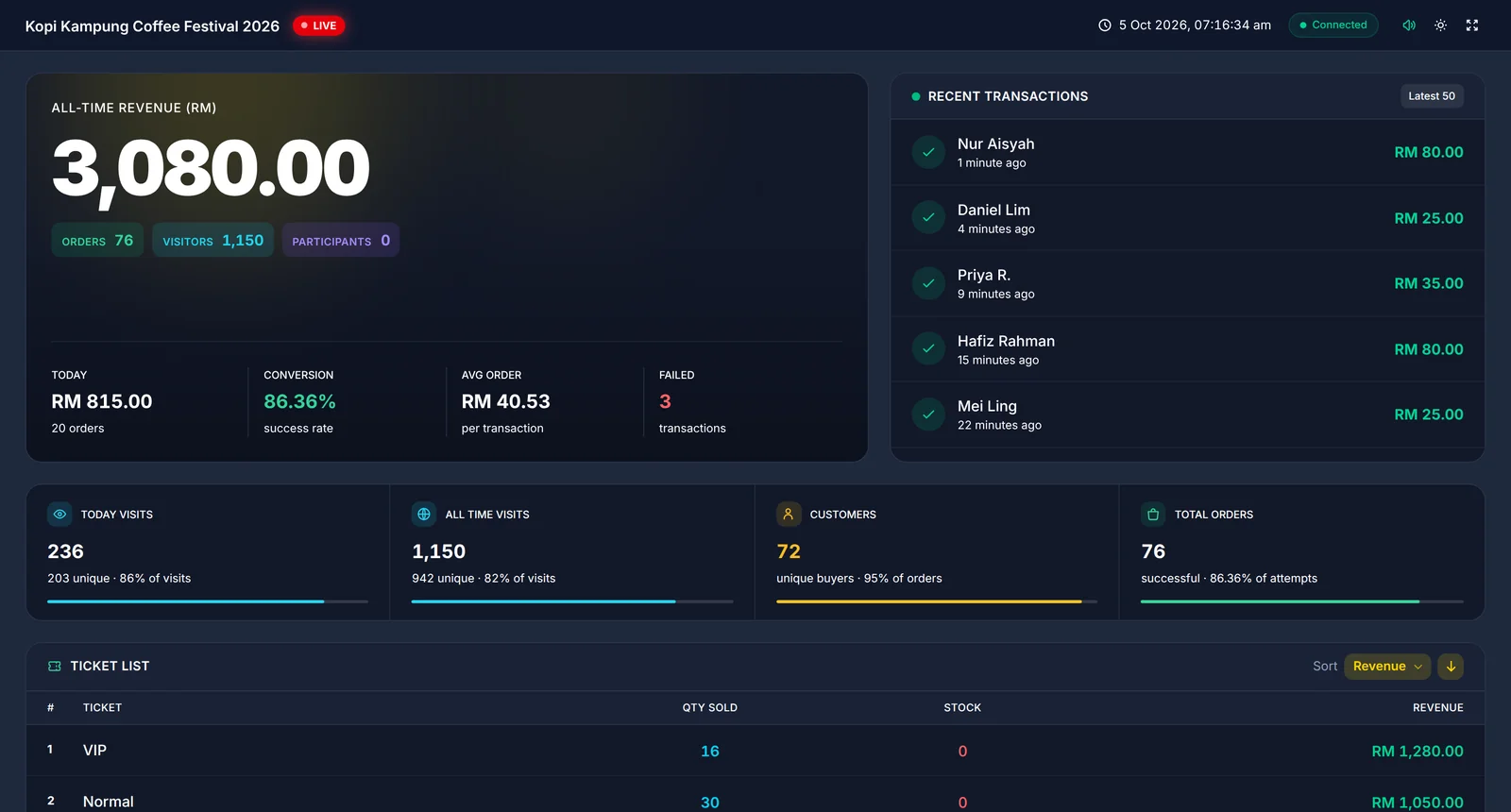
Watch sales come in, live
Generate a Live Dashboard link and put it on the committee's screen. Revenue, orders, conversion and visitors update as buyers pay, and the ticket list shows what is selling. Share it without giving anyone a login.
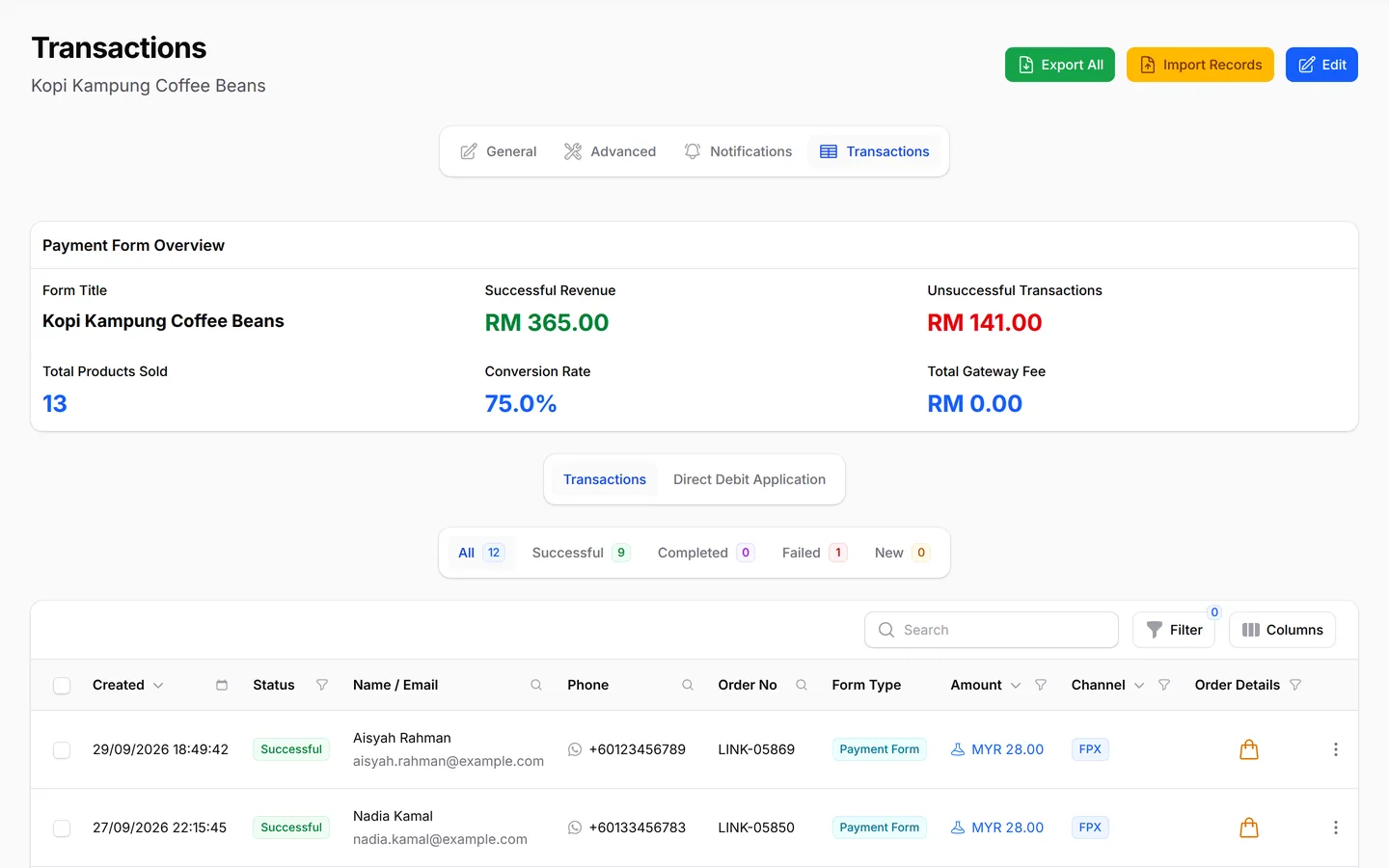
How each form is doing
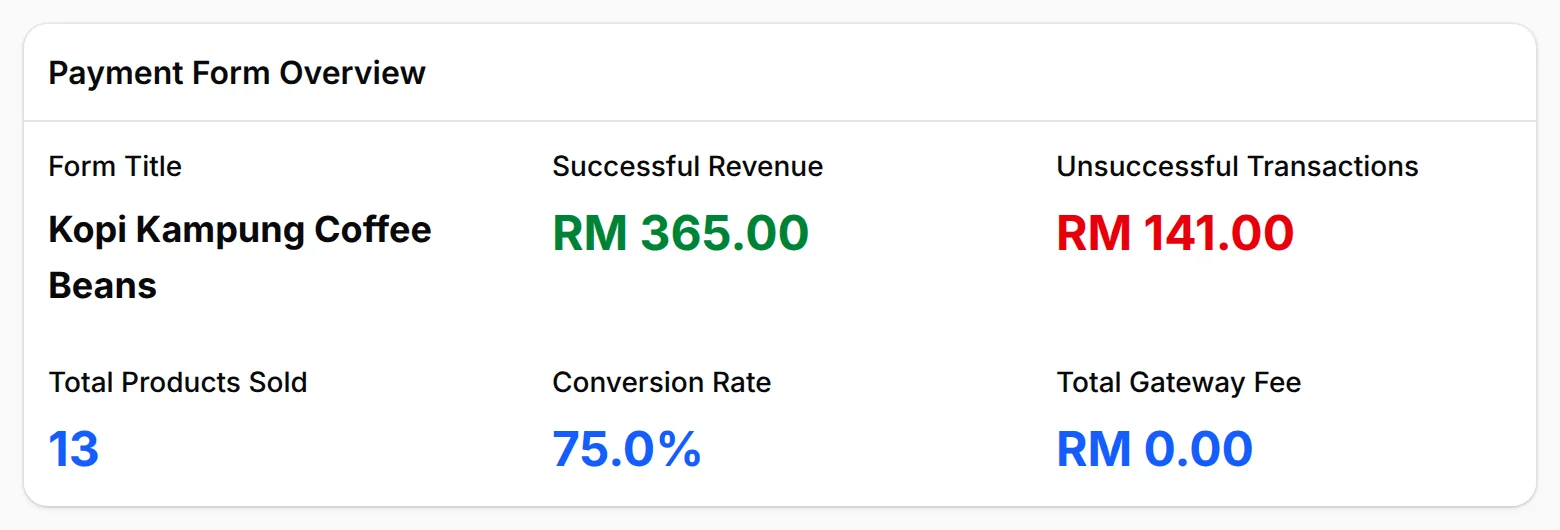
Open a form's overview to see its revenue, products sold and conversion rate in one place. You can tell at a glance which form is selling and which needs a better photo, price or description before you spend more on ads. For numbers you can share with a partner, there is also a Live Dashboard.
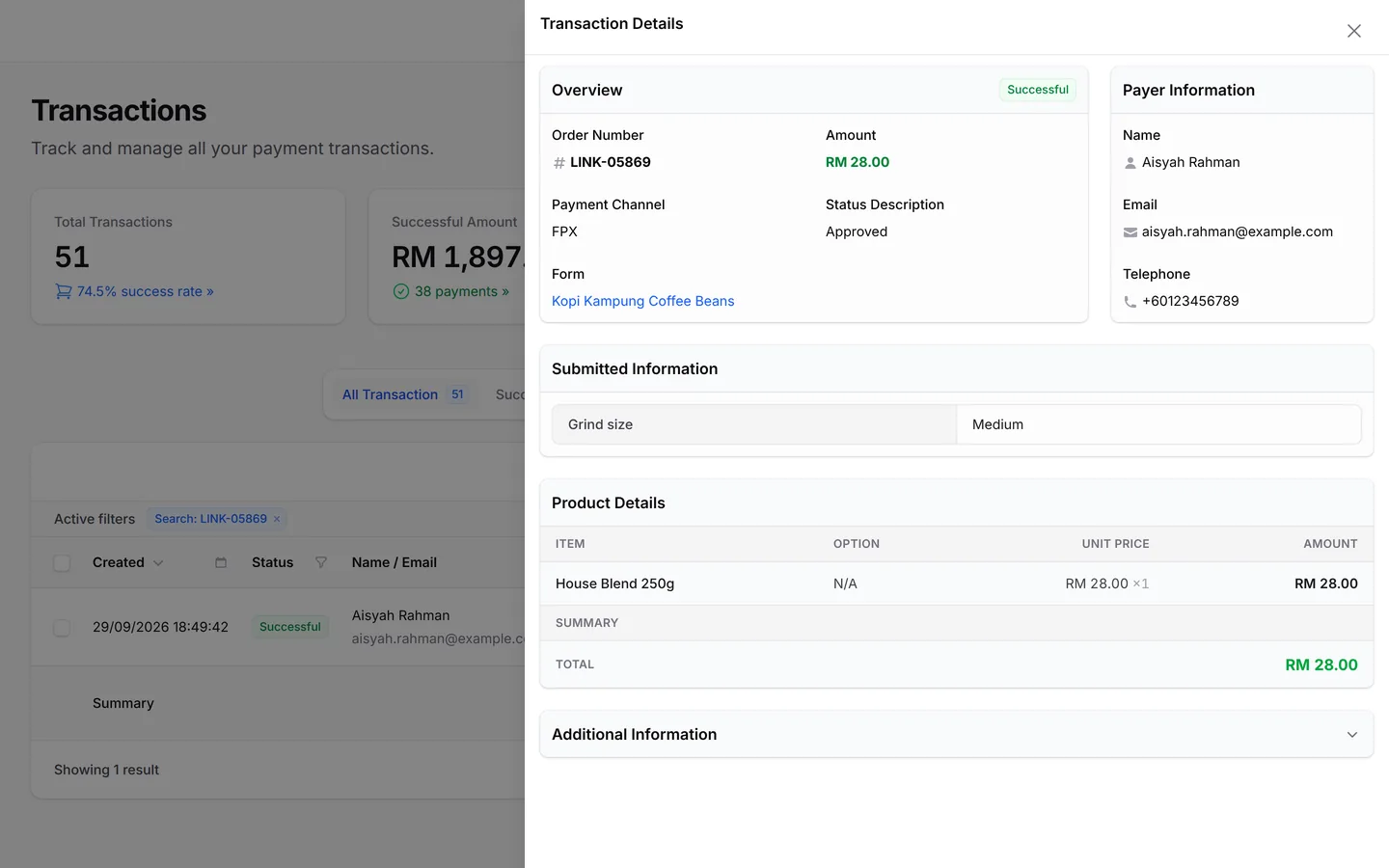
Everything about one order
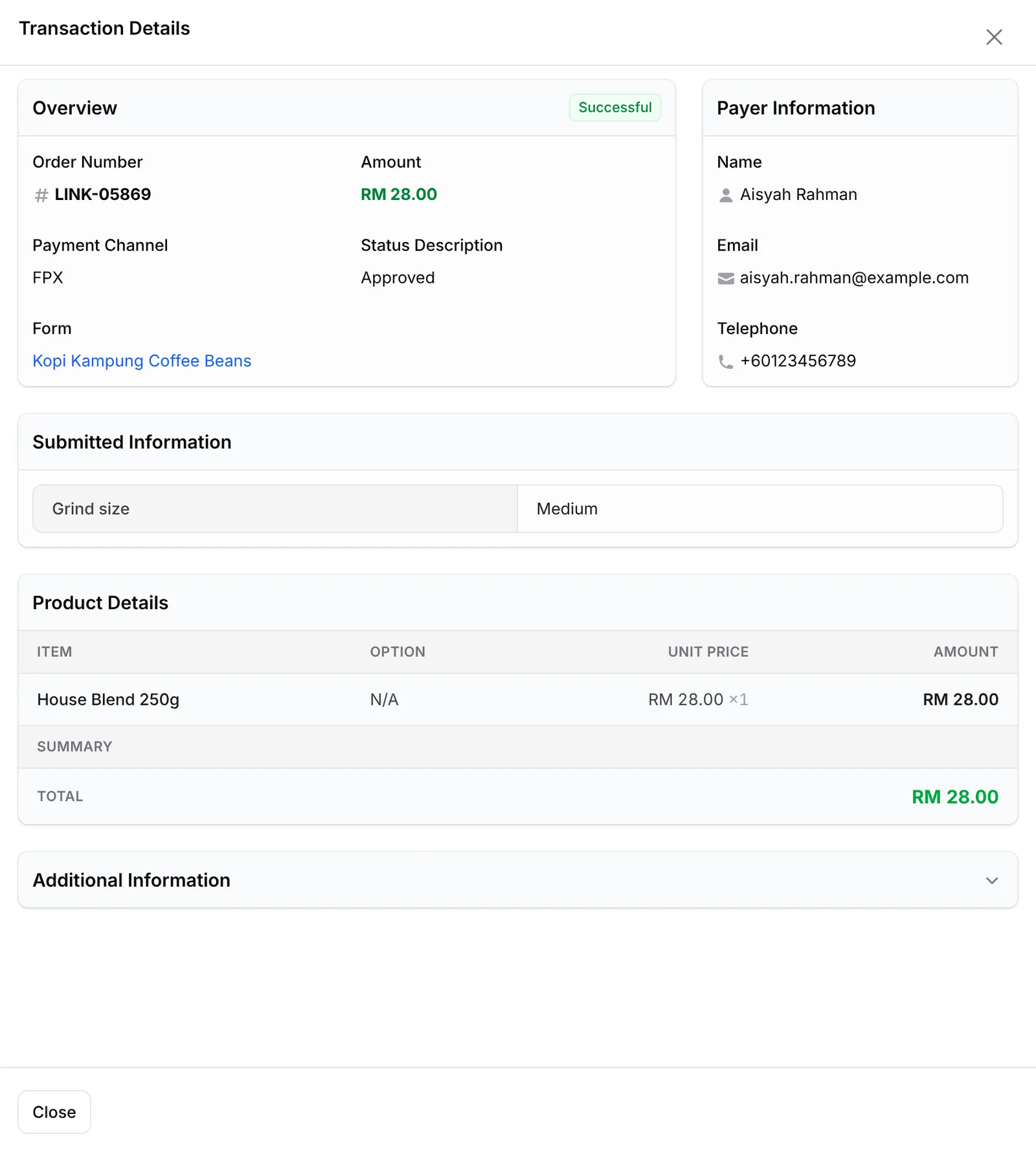
View Details opens the full record of one payment: the buyer's name, email and phone, their answers to your custom fields, each product with its option and price, and the payment channel. When a customer asks about an order, you have the answer without scrolling through chats. The Reference Number sits under Additional Information.
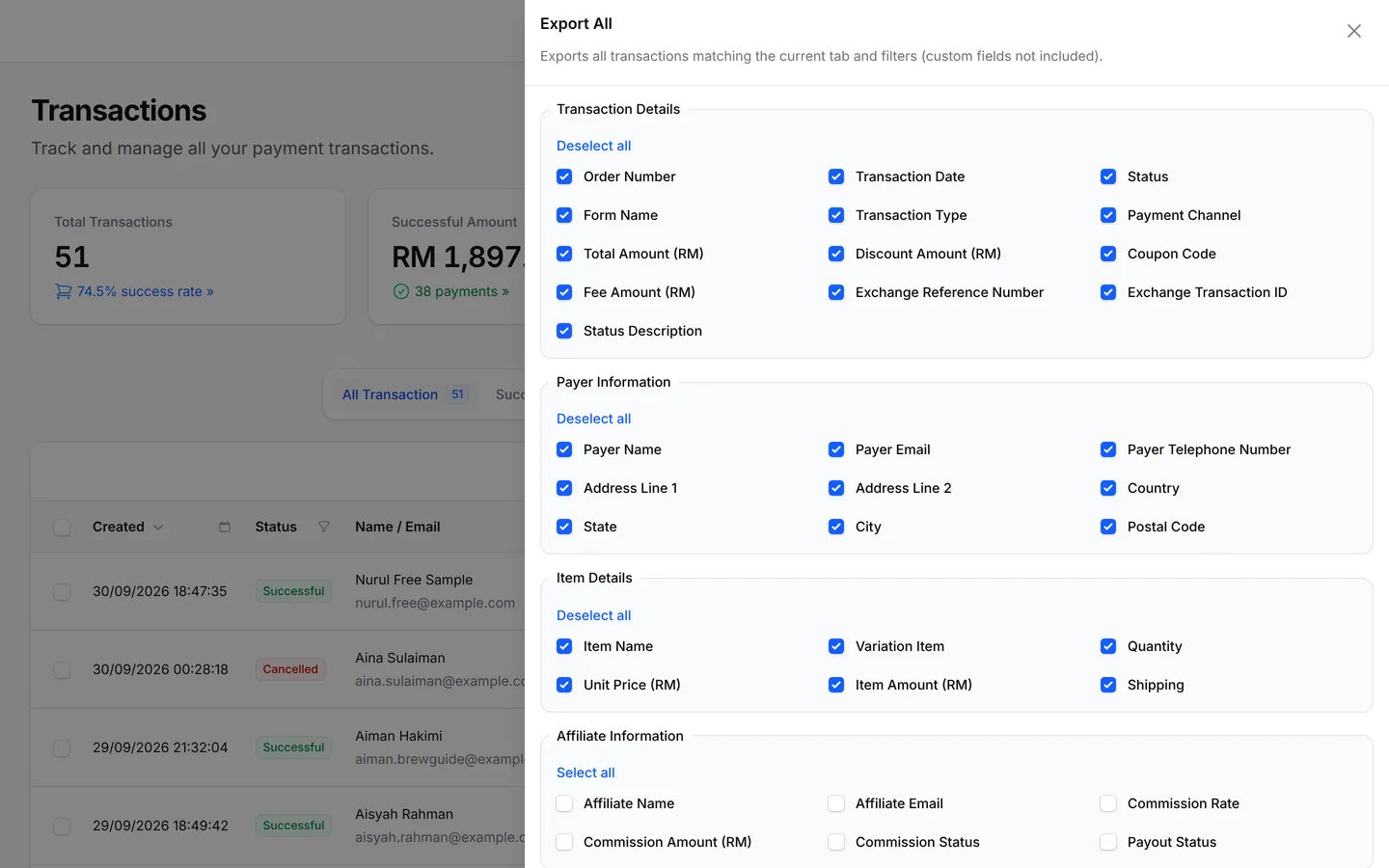
A clean file for your accountant
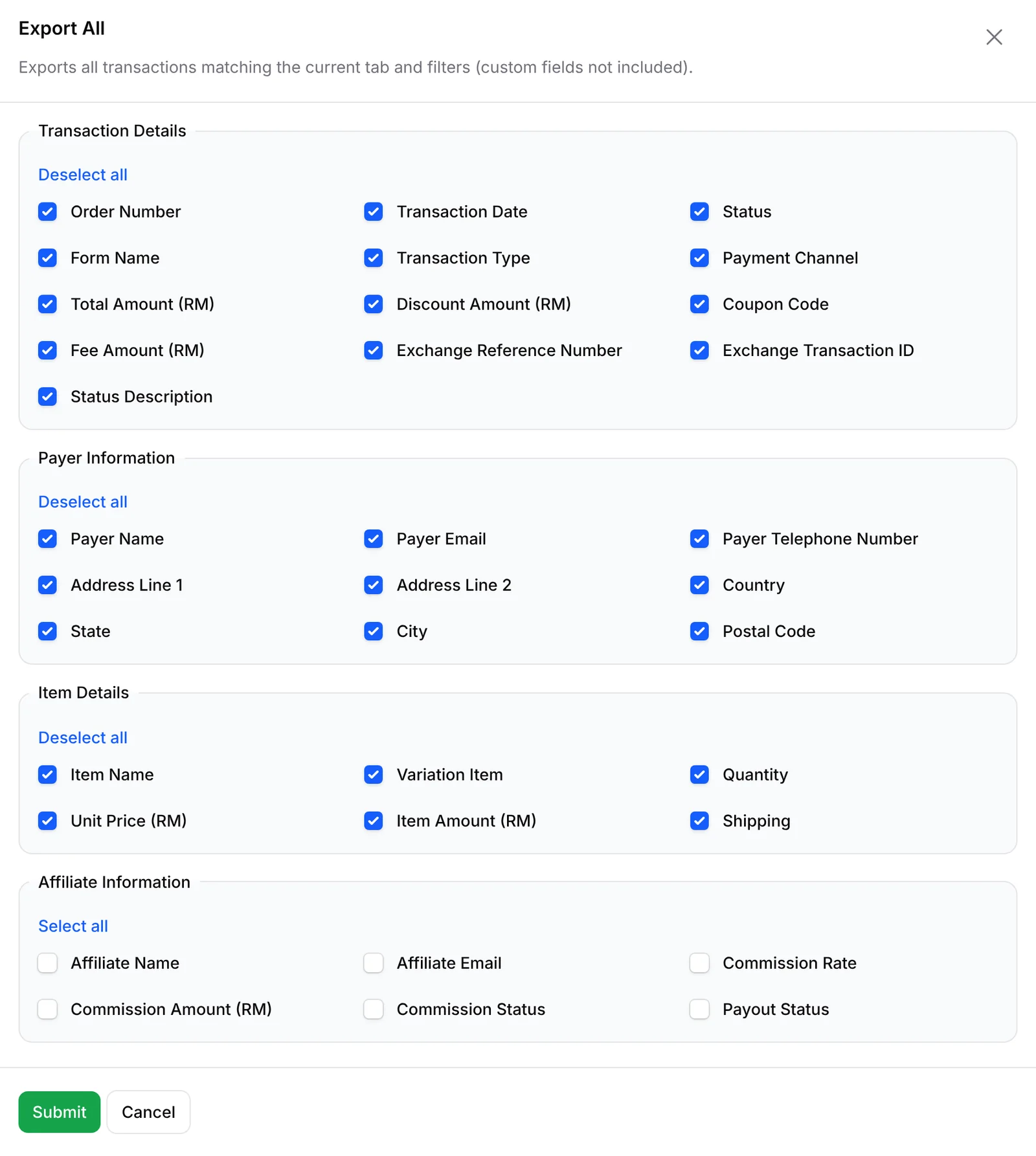
Export All downloads your transactions as an Excel file with only the columns you tick, grouped as Transaction Details, Payer Information, Item Details and Affiliate Information. Your accountant gets a tidy file instead of screenshots. Up to 1,000 transactions download straight away; bigger exports are prepared in the background.
Bring in sales from elsewhere
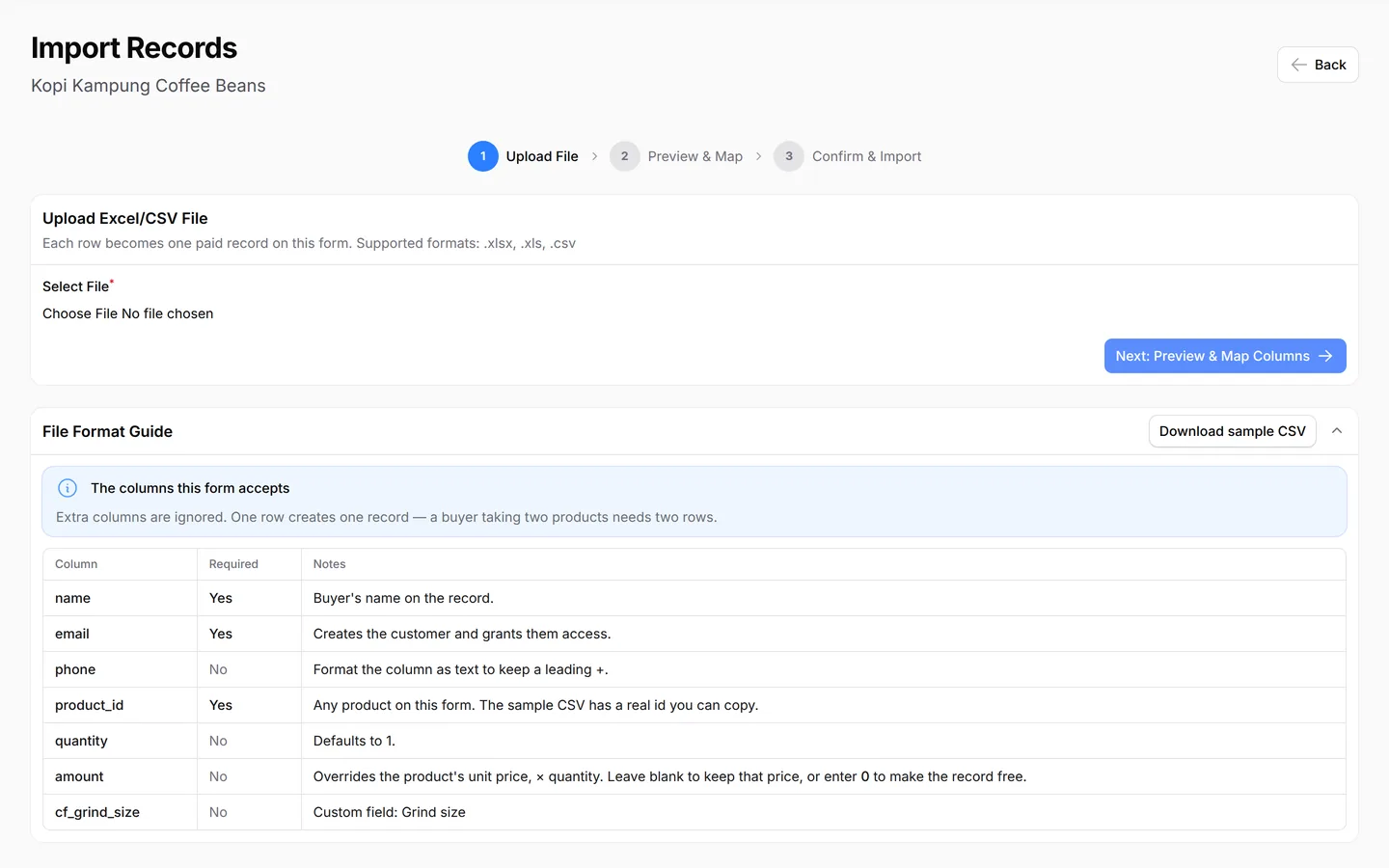
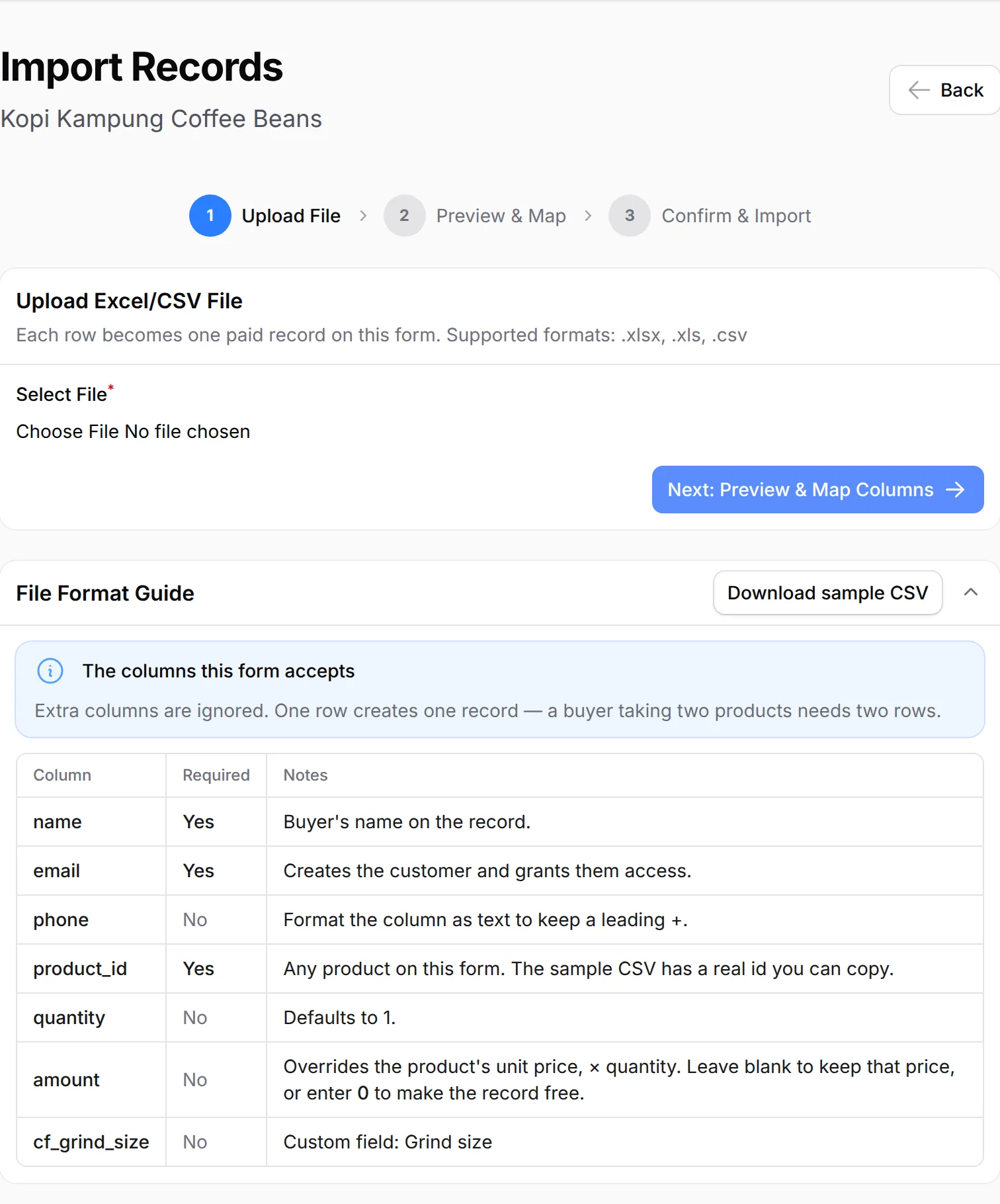
Import Records turns an Excel or CSV file into paid records on a form, one per row, so booth or bank transfer sales sit with the rest. Your totals and customer list stay complete. Open the File Format Guide for a sample, and test a few rows first: an import has no undo.
What you can do
Filter by status, open receipts, export or import spreadsheets, share a Live Dashboard and link Power BI.
Status tabs
All Transaction, Successful, Completed, Pending, Cancelled and Failed, each with a count. Mark orders as completed once delivered.
Receipts & invoices
View Receipt, Download Receipt and Download Invoice from any row. Order Details lists the items, variations and delivery address.
Export to Excel
From Transactions for all forms, or from one form's page to include its Custom Fields. Export Selected for a few rows.
Import from Excel or CSV
A name and email column is enough. Match the columns, then choose: skip duplicates, email receipts, run webhooks and automations, create e-invoice drafts.
Live Dashboard
A private link per payment or event form showing revenue, orders, top products, affiliates and visitor sources as they happen. Set an expiry, regenerate or delete it.
Customers
The Customers page groups buyers by email with their spend and e-invoice details.
Sheets, Excel & Power BI
Send each payment to Google Sheets with an automation, or connect Excel and Power BI.
Used by
Tuition fee checks, committee sales screens, imported transfer orders and monthly size exports come from here.
Jobs it helps with
Good to know
Limits to check before you build, and the add-ons that some features need.
- Transactions shows only the mode you are in: test payments with Test Mode on, real ones with it off.
- The Live Dashboard counts live payments only. Booking forms and lead forms do not have one.
- Only payment form records and event participants can be imported. Lead submissions and customers cannot.
- An import has no undo. Try two or three rows first.
- No refund button: refund outside BCL, then cancel the order.
Questions owners ask
Missing test payments, Successful versus Completed, Live Dashboard links and importing past buyers, explained.
My test payments have disappeared from Transactions. Where are they?
Transactions shows only the mode you are in. With Test Mode on you see test payments, and with it off you see real ones. Switch the mode in Platform Setup → Payment to see the other set.
What is the difference between Successful and Completed?
Successful means the payment went through. Completed is a successful transaction you marked as done with Mark As Completed, for example after you delivered the order.
How do I get a Live Dashboard link for my event?
On Events → Events, open the three-dot menu on the event, click Live Dashboard, then Generate Token. Choose when the link expires and copy it. Payment forms have the same action.
Can I import customers who already paid from Excel?
Yes. Open the form, click Import Records, upload an .xlsx, .xls or .csv file with a name and email column, match the columns and confirm. Each row becomes one paid record on that form.
How do refunds work?
BCL has no refund button. Return the money to your customer yourself (for example by bank transfer), then cancel the order in BCL so your records match.
Does BCL handle LHDN e-invoices?
Yes, with the LHDN E-Invoice add-on. BCL submits your e-invoices to MyInvois through Bayarcash as your intermediary, and lists any that fail so you can fix them.
Step-by-step guides
Set it up with the help pages on docs.bcl.my.
Ready when you are.
Set up your first form today and try it out. When you are ready for real payments, connect Bayarcash and the same form goes live.