
Your form, on your own website.
Copy the Embed Code, paste it into your page, and customers buy, book or register without leaving your site. Every sale still lands in BCL.
Trusted by these companies











































What you get
Your website keeps the customer, and BCL keeps the records.
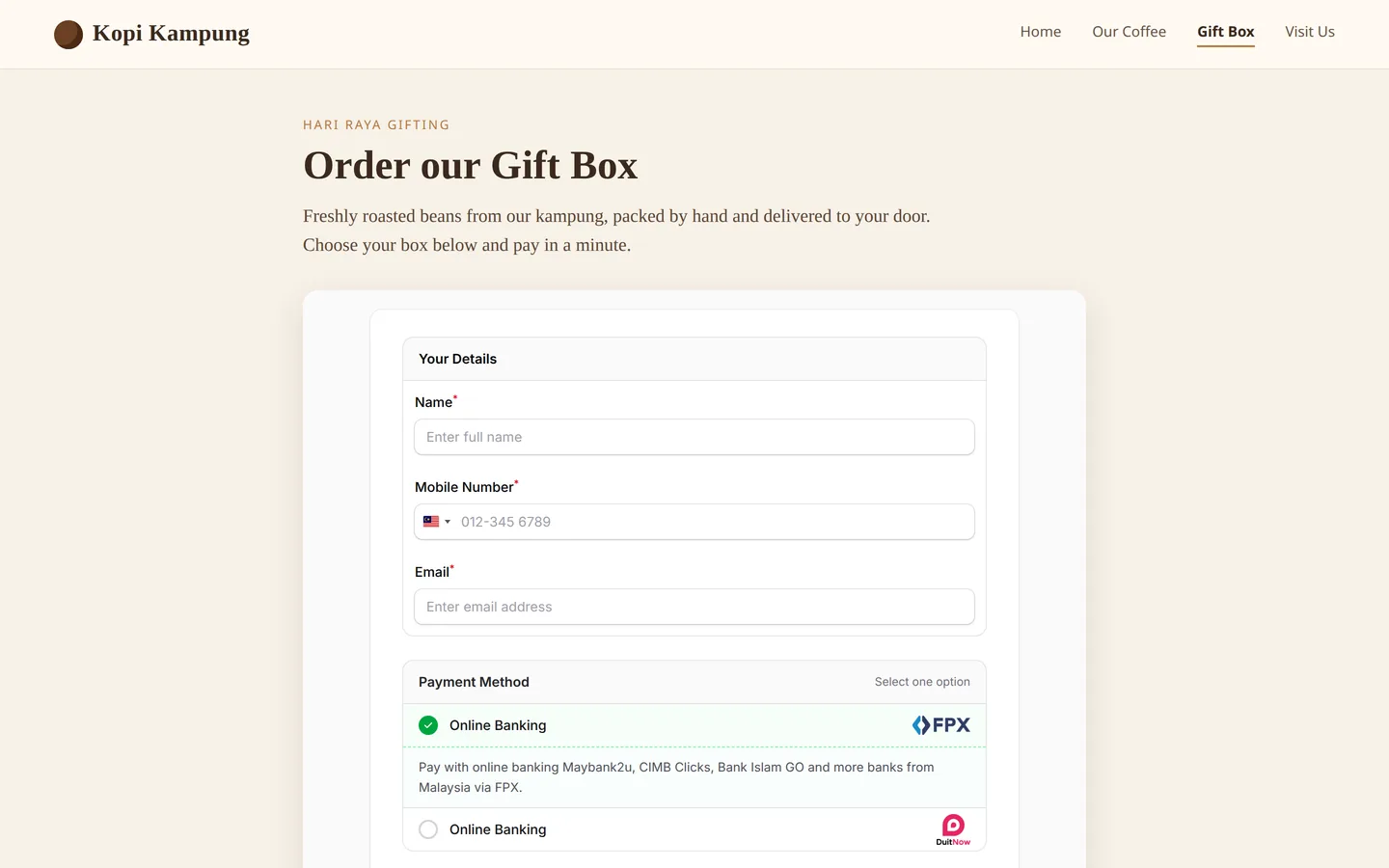
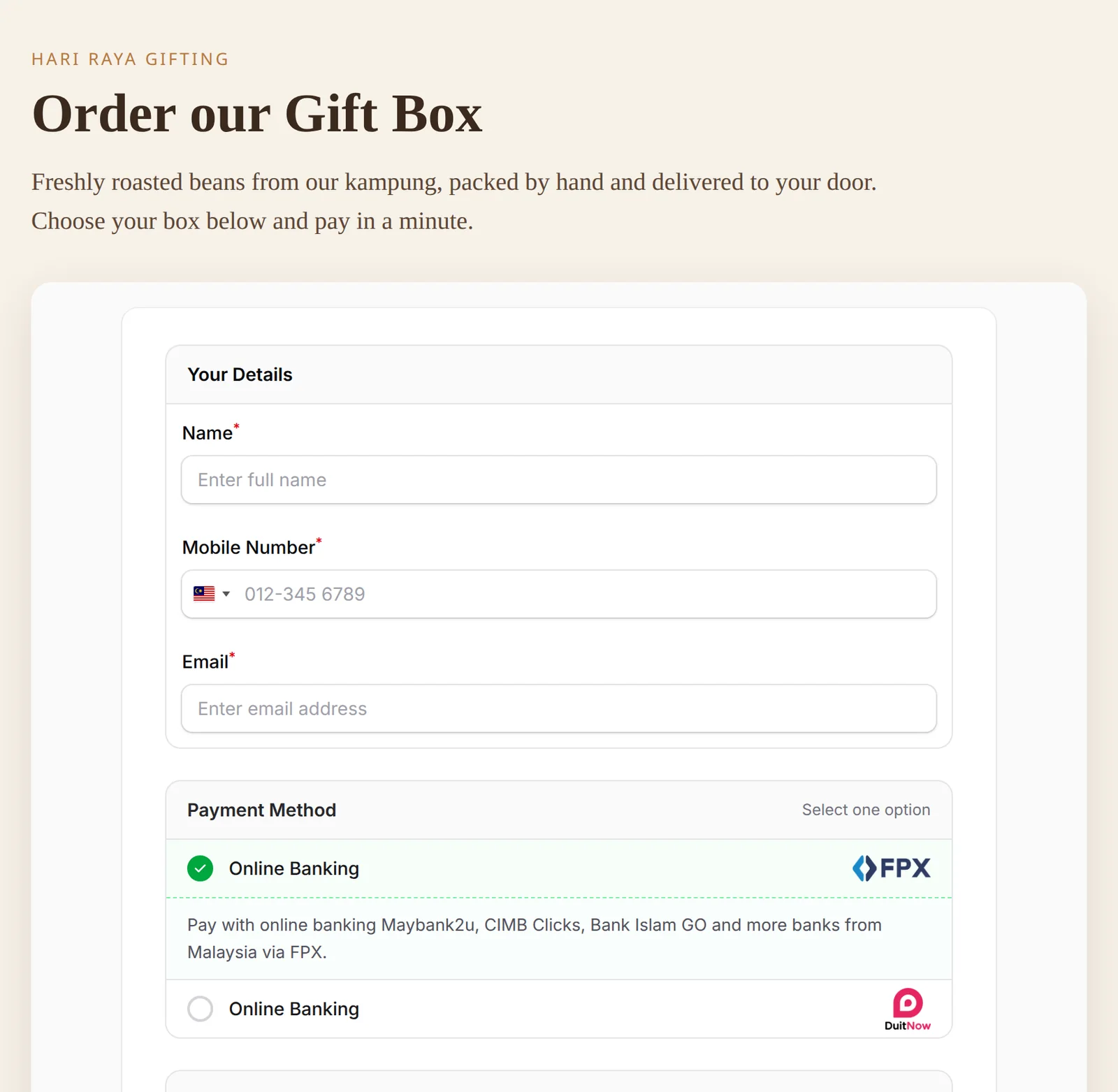
Your page, your form
The form loads inside your own page, under your heading and your words. Customers fill in their details and pay without being sent away, and the form grows or shrinks to fit, with no scroll bar of its own.
Two lines, then Copy
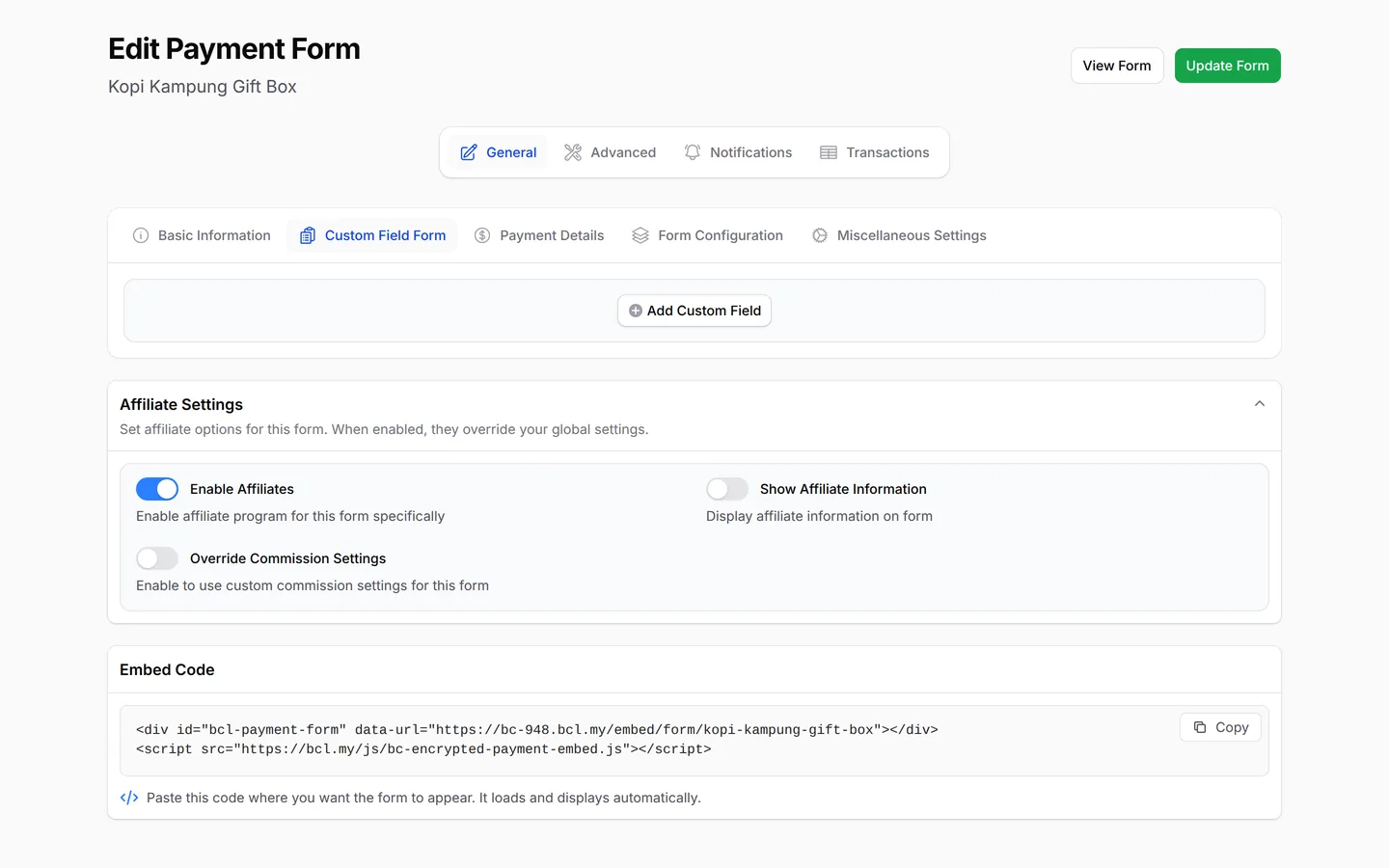
Every saved payment, event and lead form has an Embed Code at the bottom of its edit page. Click Copy and paste it into an HTML block on your site, such as a Custom HTML block in WordPress.

Booking forms too
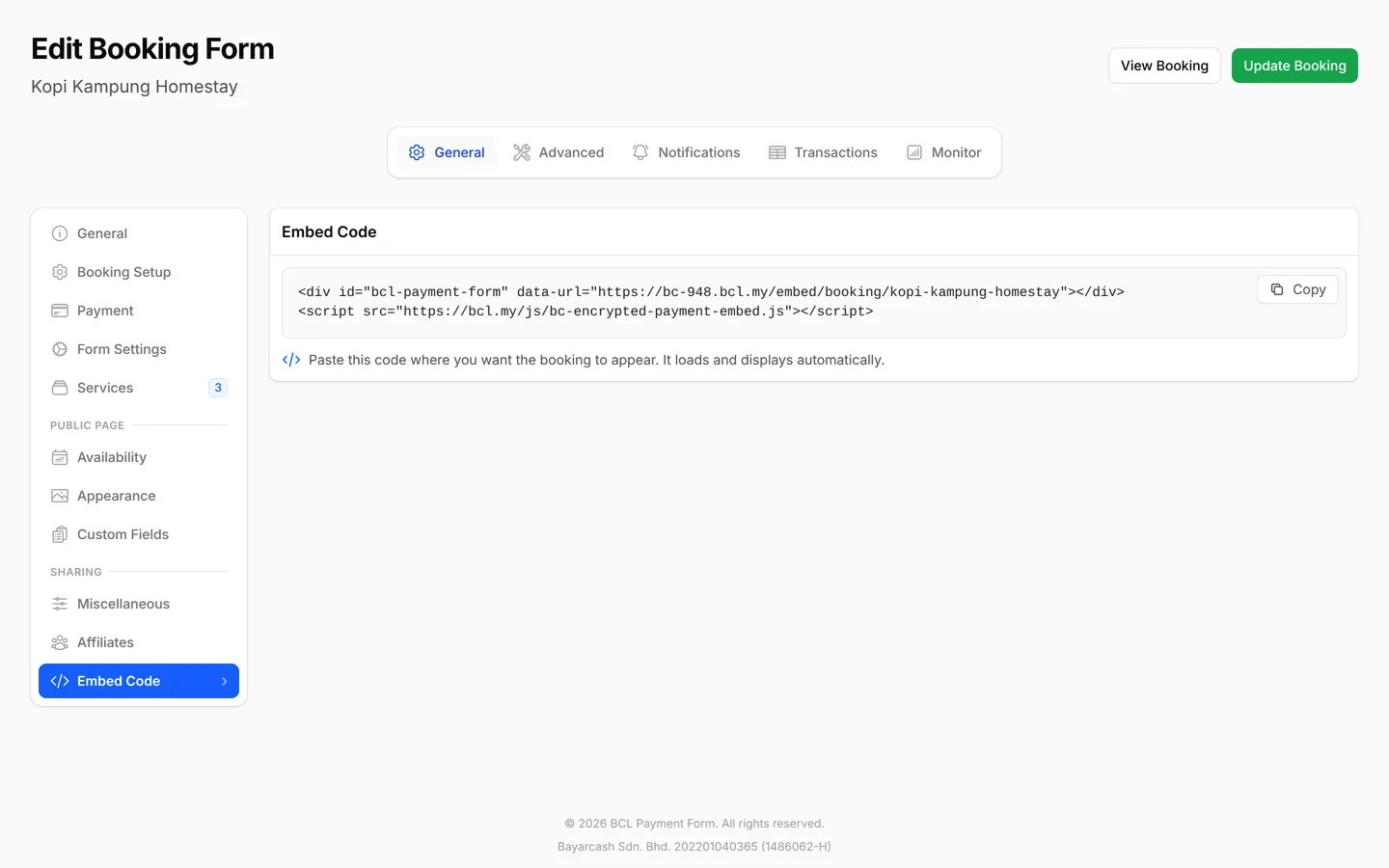
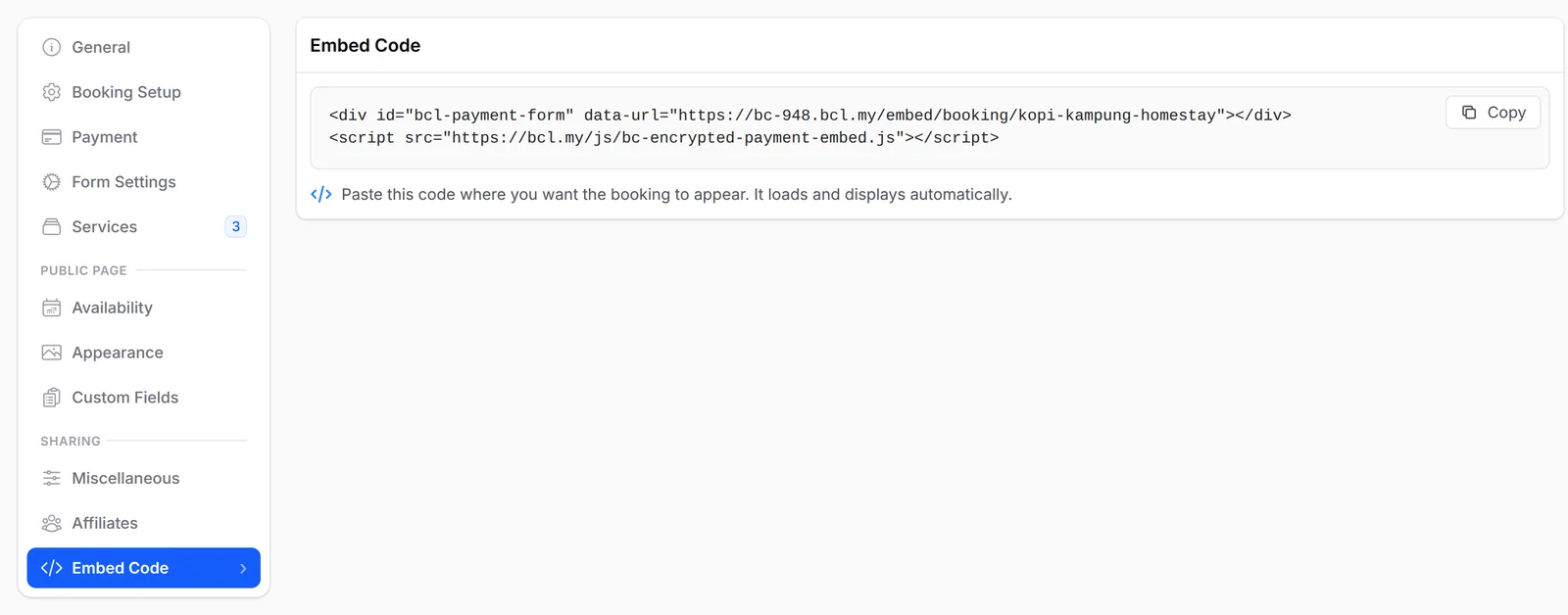
Booking forms keep their code on their own Embed Code tab, under Sharing. Customers pick a service and a time on your site, and every booking still lands in your BCL calendar.
What you can do
Four kinds of form, one copy-and-paste, and pixels and affiliates that keep working.
Embed four kinds of form
Payment, event, lead and booking forms each have an Embed Code once the form is saved.
Copy two lines of code
Click Copy at the top right of the Embed Code, then paste it into an HTML block on your page.
Fits your page by itself
The form grows or shrinks to fit, with no scroll bar of its own.
Your pixels still fire
Facebook and TikTok pixels set on the form work on your website's page too.
Affiliates embed too
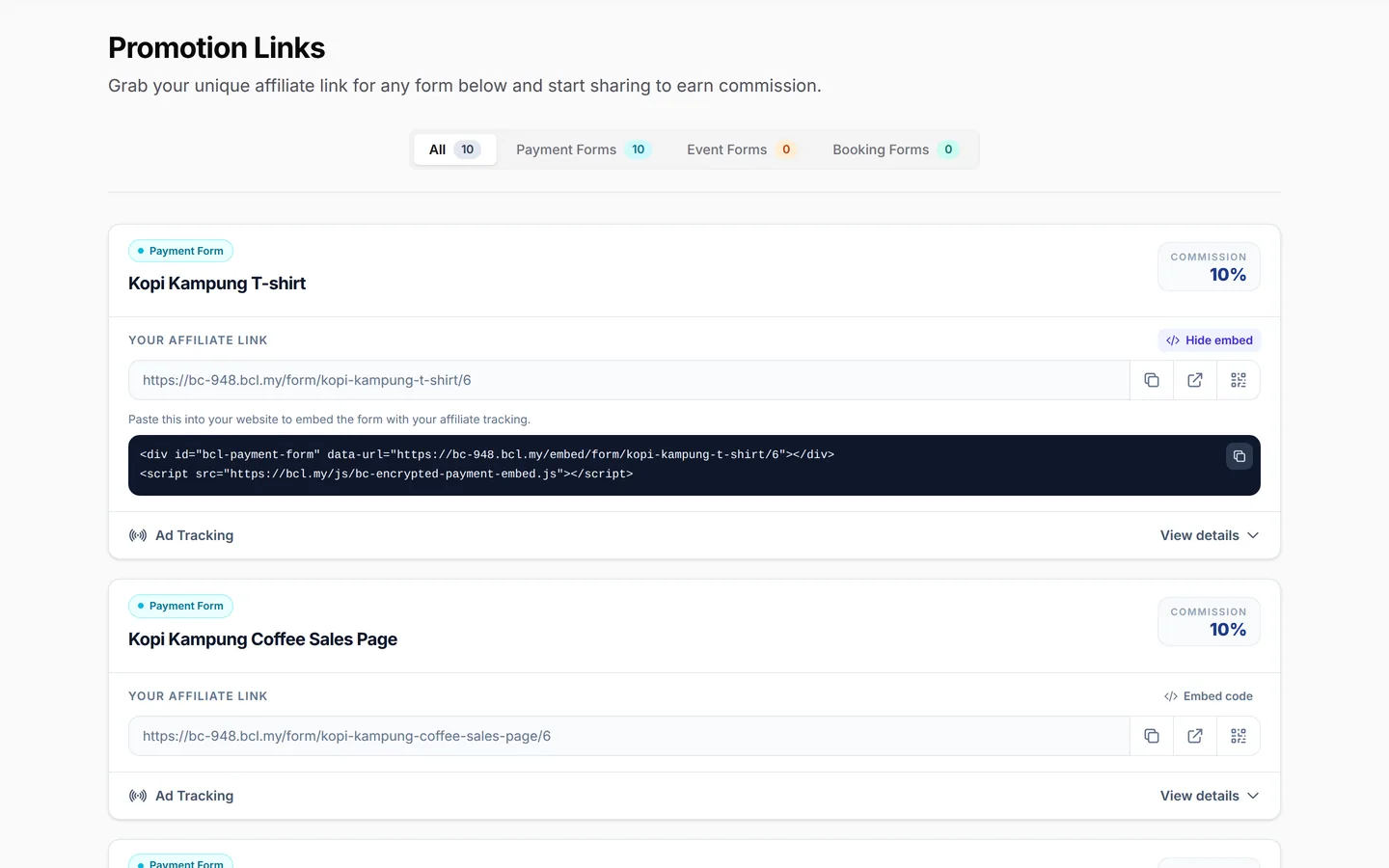
Each affiliate gets their own Embed code on Promotion Links, with their ID built in, so sales are credited to them.
Campaign tags carry over
Tags such as ?utm_source=facebook on your page address pass on to the embedded form.
Used by
Shops, run clubs, salons and mosques that already have a website of their own.
Jobs it helps with
Good to know
Limits to check before you build, and the add-ons that some features need.
- One form per web page. A second Embed Code on the same page shows nothing.
- Save a new form first. It has no Embed Code until it is saved.
- Affiliate embed codes are for payment, event and booking forms.
- Test the page on a phone. Some website themes add margins that squeeze the form.
Questions owners ask
Which forms embed, what updates by itself, and how pixels and affiliates behave.
Which BCL forms can I embed?
Payment, event, lead and booking forms. Open the form's edit page and scroll to Embed Code at the bottom; booking forms keep it on their own Embed Code tab.
Do I need to copy the code again after I change the form?
No. Prices, items and the closing date update on your website straight away, because the code loads the live form from BCL.
Can I put two BCL forms on one web page?
No. The embed code loads one form per page. Put each form on its own page, or link to the second form with its normal link.
Does my Facebook or TikTok pixel still work on an embedded form?
Yes. The pixels set on the form fire on your website's page too, and so do an affiliate's pixels when the affiliate's embed code is used.
Should an affiliate share their link or the embed code?
The affiliate link, on WhatsApp, social media or anywhere else. The embed code is only for the affiliate's own website. Both carry the affiliate's ID.
Step-by-step guides
Set it up with the help pages on docs.bcl.my.
Ready when you are.
Set up your first form today and try it out. When you are ready for real payments, connect Bayarcash and the same form goes live.