
One link. Every way to pay.
Type the amount and your customer's name, send the link in WhatsApp, and the payment is confirmed for you. No form needed, no transfer slip to check.
Trusted by these companies













































What you get
No slip checks, links built for chat selling and customers choosing their own way to pay.
Four fields & it is ready
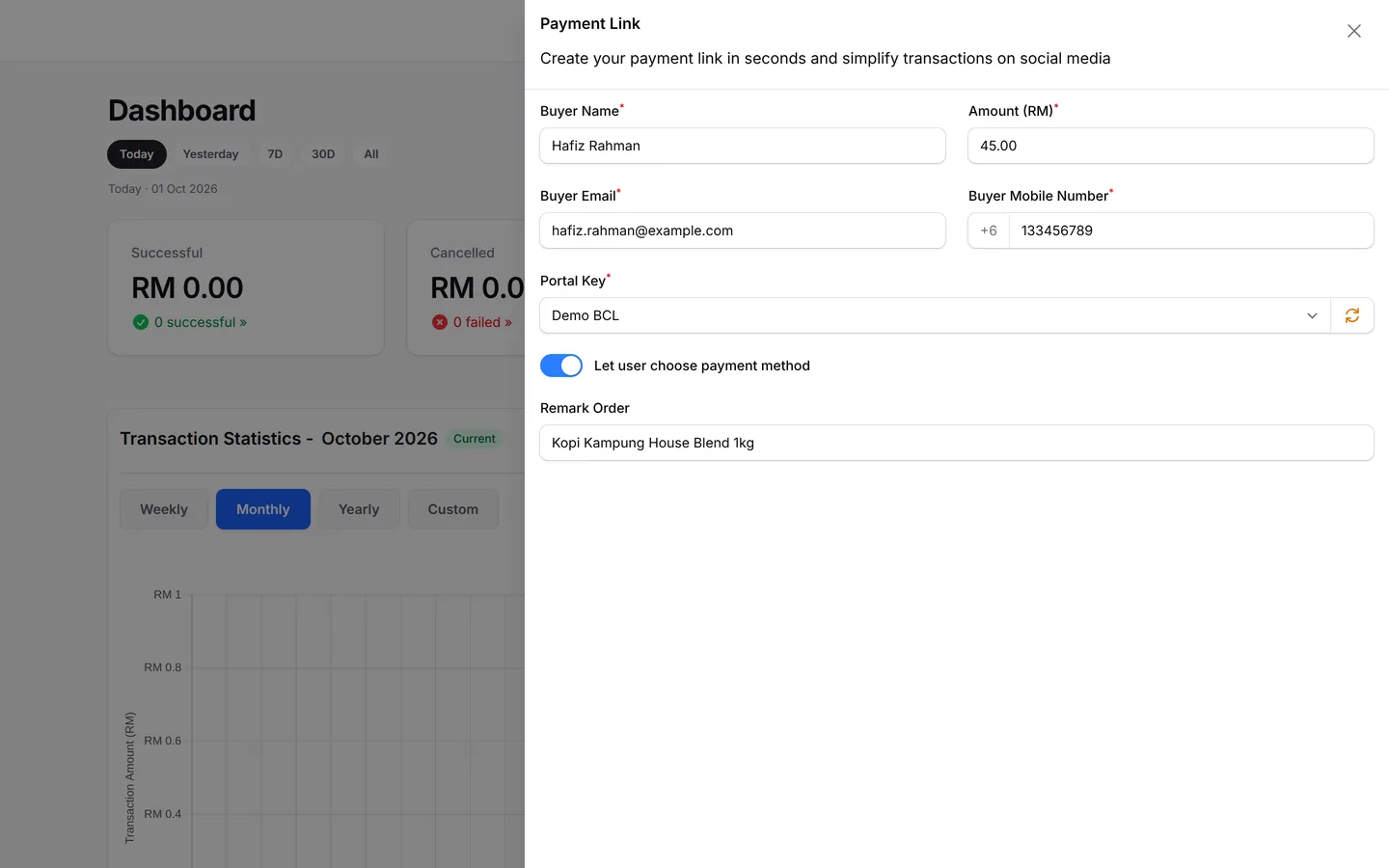
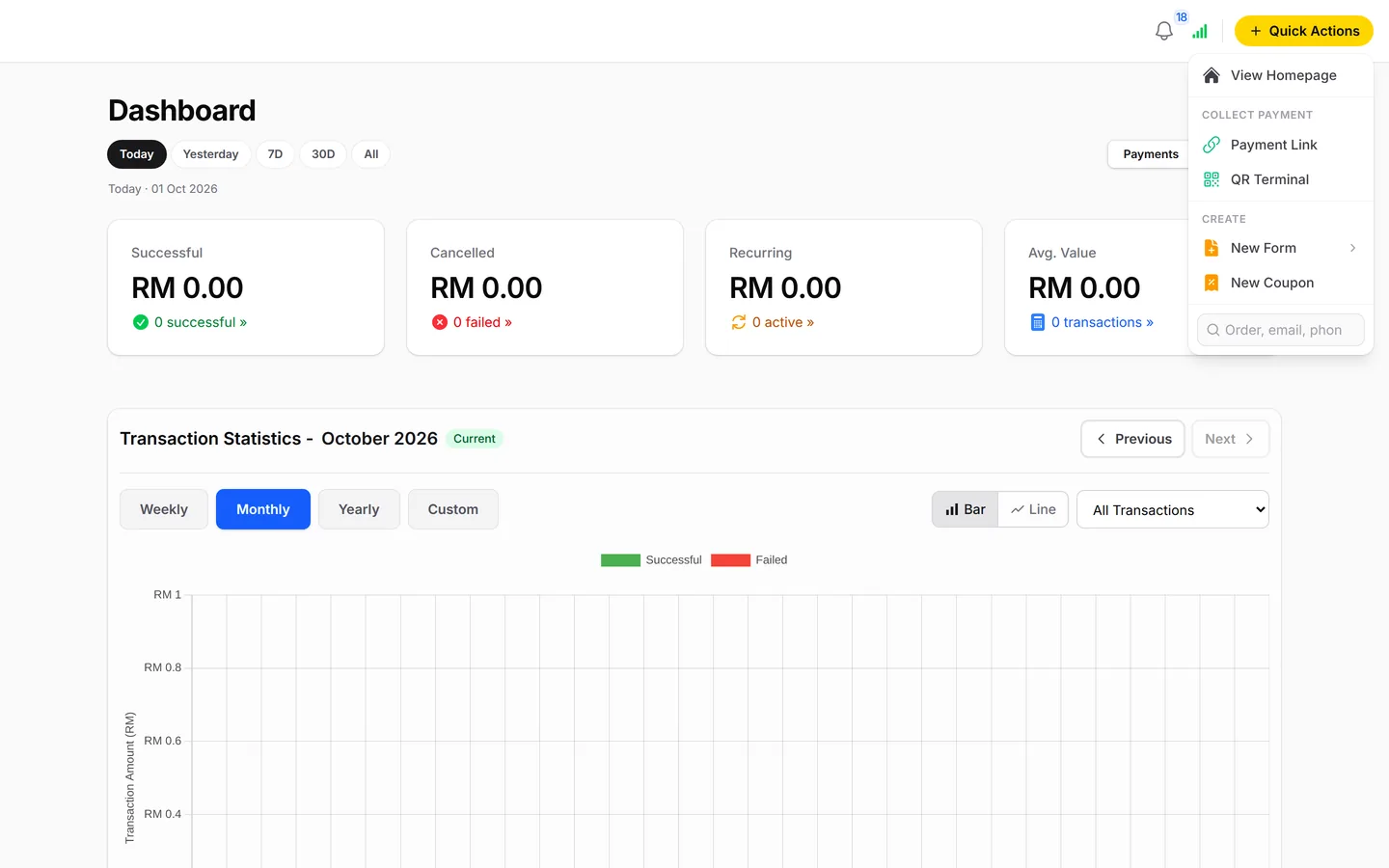
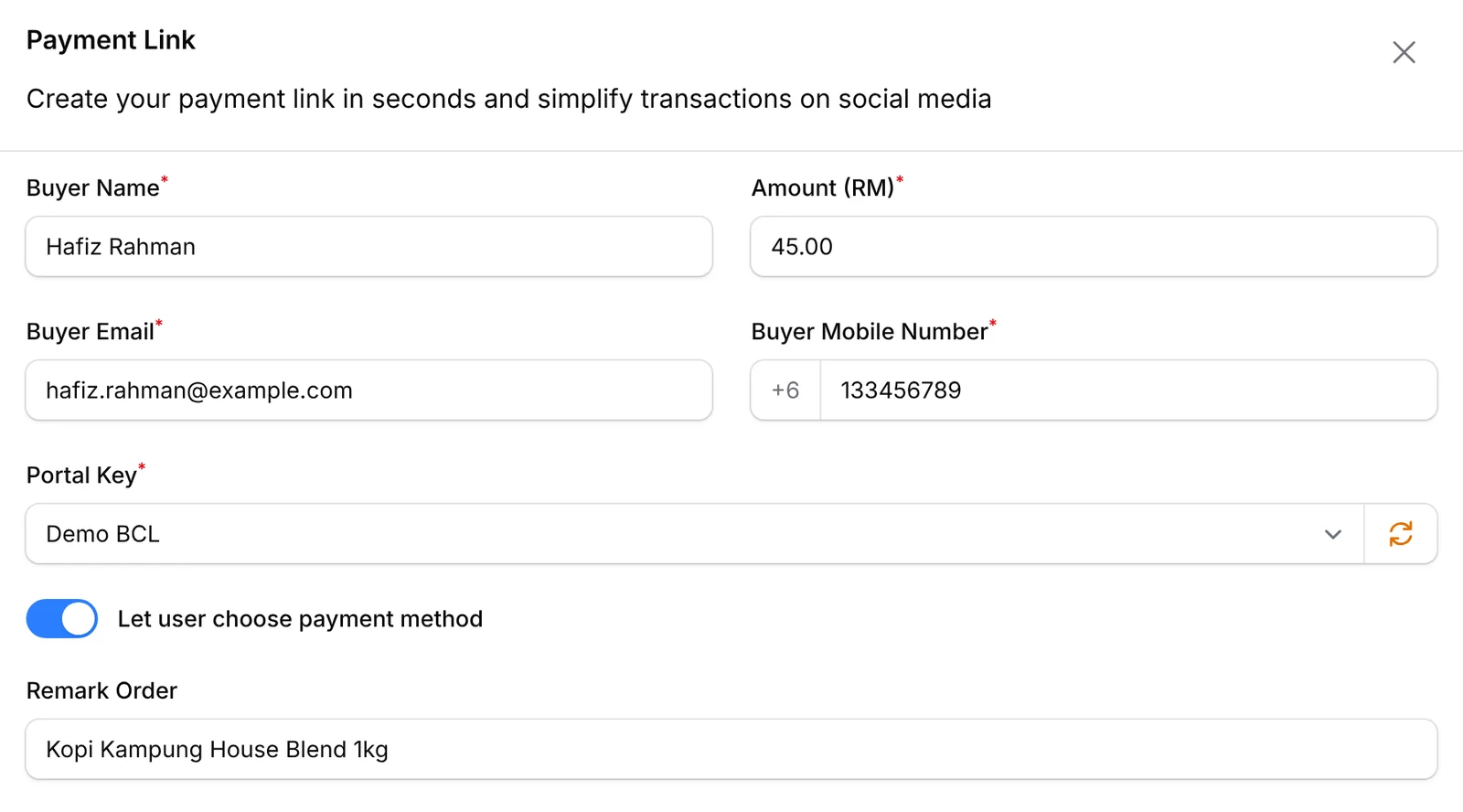
Fill in Buyer Name, Amount (RM), Buyer Email and Buyer Mobile Number, add a Remark Order note if you like, and click Submit. It is quicker than typing out bank details in a chat, and the payment is recorded for you. Payment Link sits under Quick Actions on every dashboard page.
Your customer sees exactly what to pay
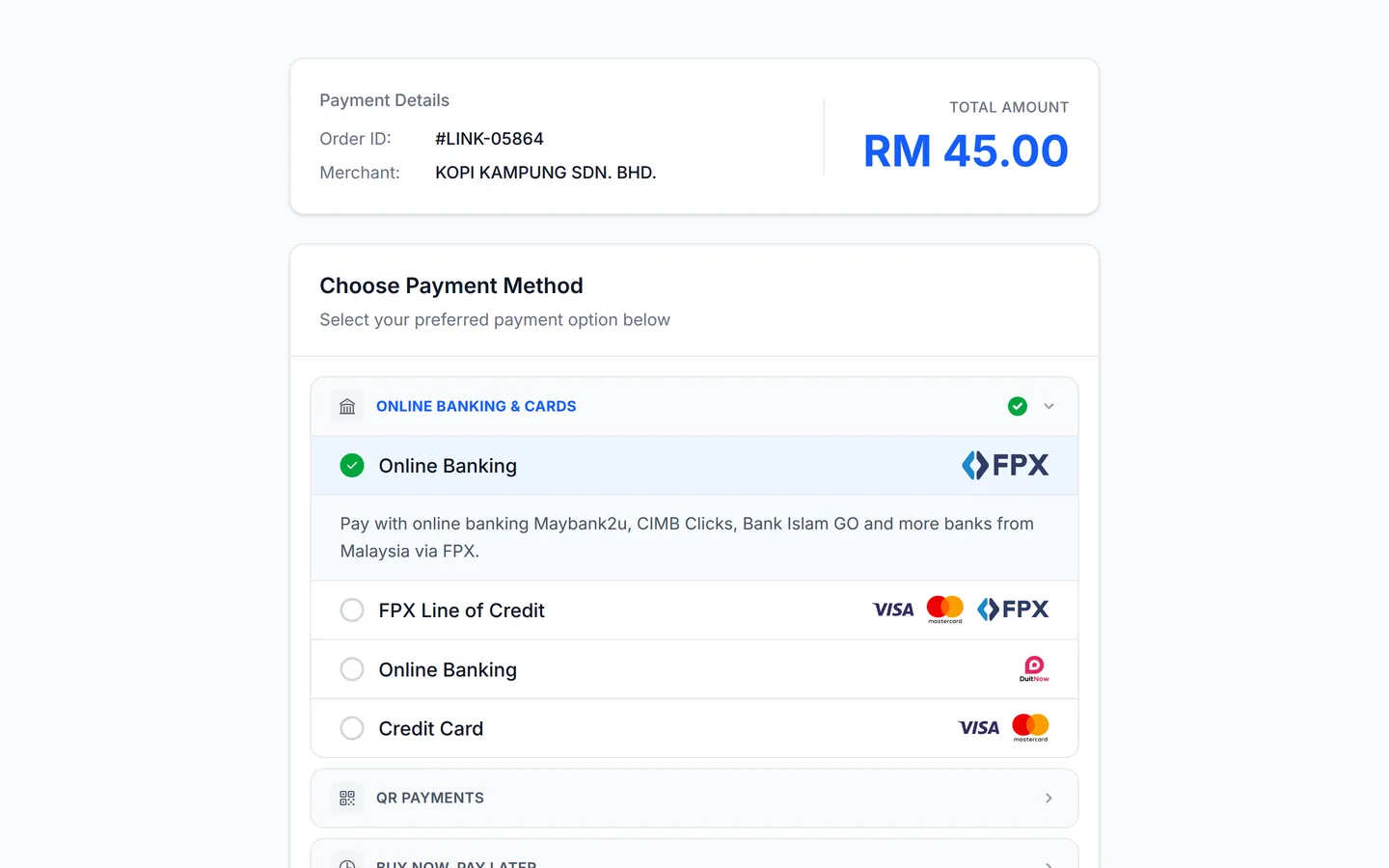
The link opens on a clean page with your business name, the order number and the total to pay. Your customer can see it is really you and exactly what they owe, with nothing left to explain. Each link stays valid for up to 3 months, and paid ones show in Transactions.

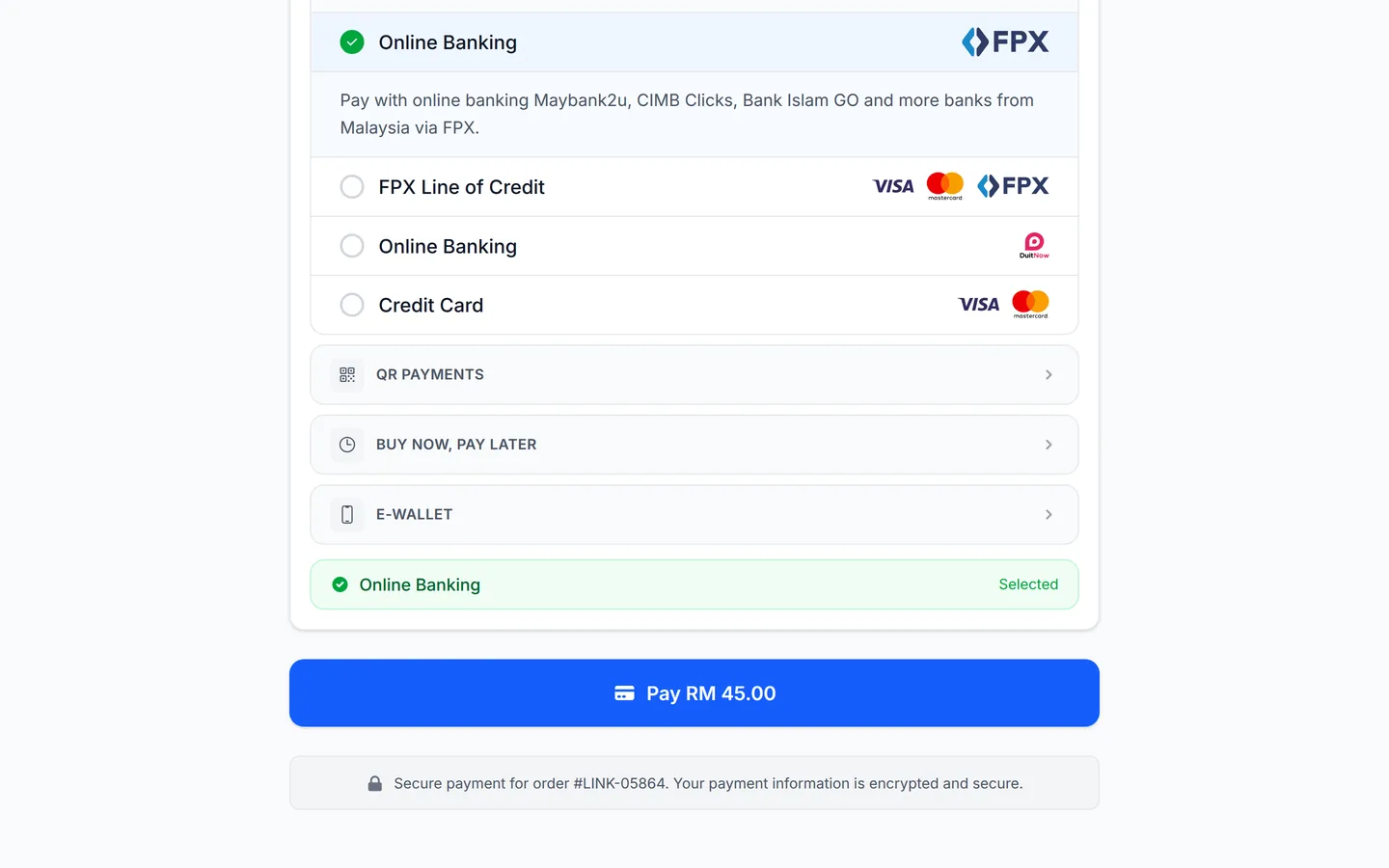
They choose how to pay
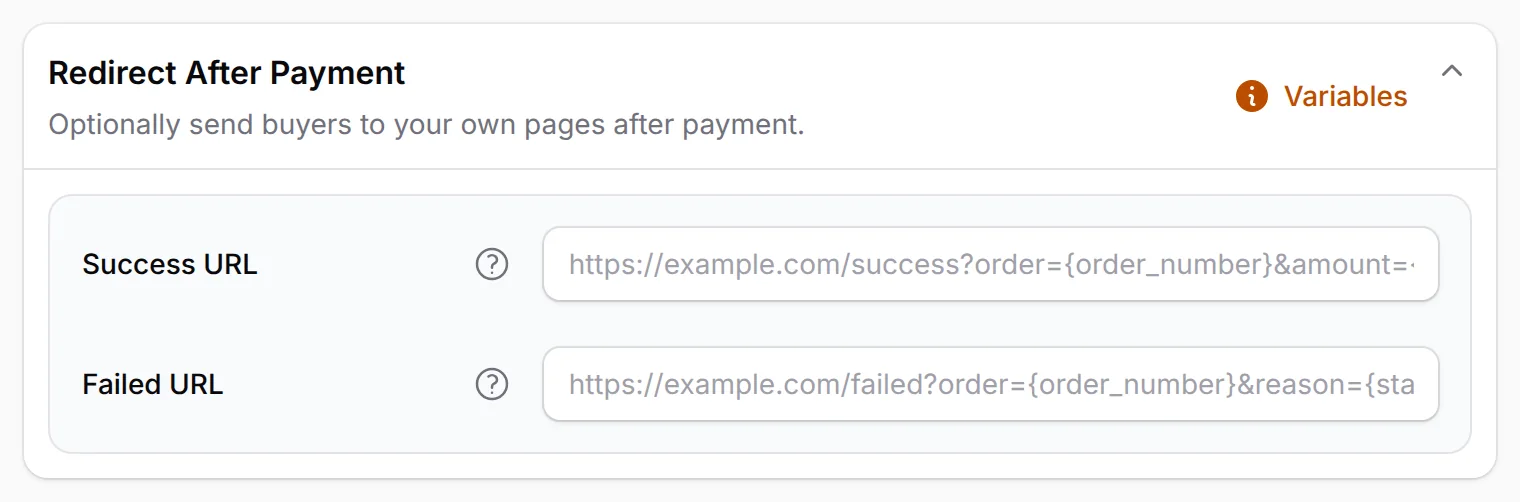
Your customer picks how to pay: online banking, DuitNow QR, cards, e-wallets or pay later. Cards, e-wallets and pay later appear after Bayarcash turns them on for you.
Send them where you want after
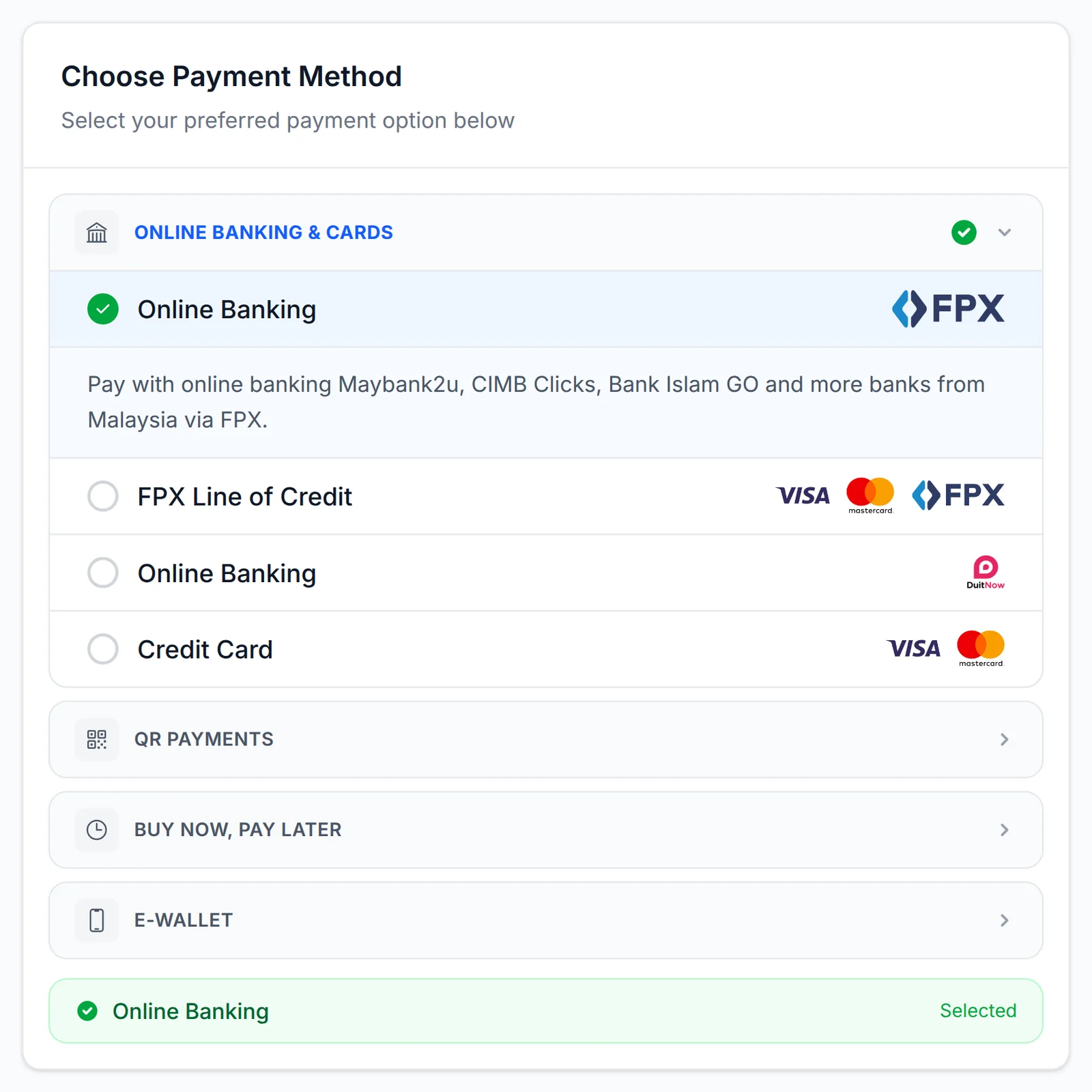
In Link Configuration, set a Success URL for your own thank-you page and a Failed URL for buyers whose payment did not go through. Buyers stay with your brand after paying, and a failed payment gets a clear next step. The same settings also hold pixel and webhook options for every link.
How your customers pay
FPX, DuitNow QR and cross-border QR as standard. Cards, e-wallets and PayLater once Bayarcash switches them on for your portal.







- Cash on Delivery
- Manual Bank Transfer

What you can do
Fill four fields, pick or open the channel, add pixels and let staff send links too.
Create a link in four fields
Buyer Name, Amount (RM), Buyer Email and Buyer Mobile Number. Add a Remark Order to note what it is for.
Share it anywhere
Copy the link, or use the WhatsApp, Facebook and Twitter buttons in the Share Payment Link window.
Choose the channel, or let them choose
Turn off Let user choose payment method to fix one Payment Option, such as FPX.
Valid for up to 3 months
A link stays live for up to 3 months, so a slow payer can still use it.
Pixels, webhook & thank-you page
Set them once for every link under Platform Setup → Link Configuration.
Let staff send links
A Team member with Can View Transactions can create Payment Links from Quick Actions. Each payment is recorded against their login.
Ask your AI to make one
A connected AI agent can create a payment link for you through the BCL MCP server.
Used by
Custom cakes, made-to-measure pieces, catering orders and missed tuition fees get settled with one link.
Jobs it helps with
Good to know
Limits to check before you build, and the add-ons that some features need.
- A Payment Link is for one customer and one set amount. For a menu of items, stock or variations, use a Payment Form.
- Each link stays valid for up to 3 months.
- The Payment Link form is locked until Bayarcash is connected, unless Test Mode is on.
- The channels offered are the ones Bayarcash has switched on for the portal you pick.
See it live
Opens a live example page. Please do not pay.
- Payment link Lensa Senja: portrait session payment A Payment Link for one client and one amount Lensa Senja Photography, a freelance photographer billing a portrait session Open the example
- Payment link Payment link: Katering Selera Kampung catering order One link for a catering order Katering Selera Kampung, a caterer billing a customer for a catering order Open the example
Questions owners ask
Link validity, choosing the method, staff access and receipts, sorted before you send one.
How long does a payment link stay valid?
Up to 3 months after you create it. When the customer pays, the payment shows in Transactions.
Can I choose the payment method for my customer?
Yes. Turn off Let user choose payment method and pick one in Payment Option. Leave it on to let your customer choose from the channels your portal supports.
Can my staff send payment links?
Yes. Add them as a Team member with Can View Transactions. Payment Link appears in their Quick Actions, and each payment is recorded against the login that created it.
Does the customer get a receipt?
Yes. Every payment, including one from a Payment Link, appears in Transactions with View Receipt and Download Receipt, and the customer gets the receipt email with your details on it.
Can customers outside Malaysia pay my payment link?
Yes. Cross-border QR comes as standard with DuitNow QR: NETS (Singapore), QRIS (Indonesia), PromptPay (Thailand), Alipay and WeChat Pay (China). Visa and Mastercard cards from any country also work once Bayarcash switches them on. The amount stays in RM.
Can a payment link take a monthly payment?
No. A payment link is for one payment of a set amount. For weekly or monthly payments, use Direct Debit: your customer authorises once, then the payment is taken on schedule.
What is BCL, and how does it work with Bayarcash?
BCL is a no-code selling platform for Malaysian small businesses: you build payment forms, payment links, tickets and bookings, share one link and see every sale. Bayarcash is the payment gateway behind it: it collects the payment and pays it out to your bank, minus its fee. To take real payments you need an approved Bayarcash merchant account.
Can I start before my Bayarcash account is approved?
Yes. New accounts start in Test Mode, so you can build and try your forms first. Test payments go to the Bayarcash sandbox and nothing is charged. Your forms keep working after you connect Bayarcash.
Which payment methods can my customers use?
FPX online banking, DuitNow QR and cross-border QR (Singapore, Indonesia, Thailand and China) come as standard. Cards (Visa and Mastercard), e-wallets (Touch 'n Go eWallet, Boost, GrabPay) and Buy Now Pay Later (SPayLater, PayLater by Grab, Boost PayFlex) appear once Bayarcash switches them on for your account. Prices are in RM.
Step-by-step guides
Set it up with the help pages on docs.bcl.my.
Ready when you are.
Set up your first form today and try it out. When you are ready for real payments, connect Bayarcash and the same form goes live.