
Your rooms, booked by date. Paid up front.
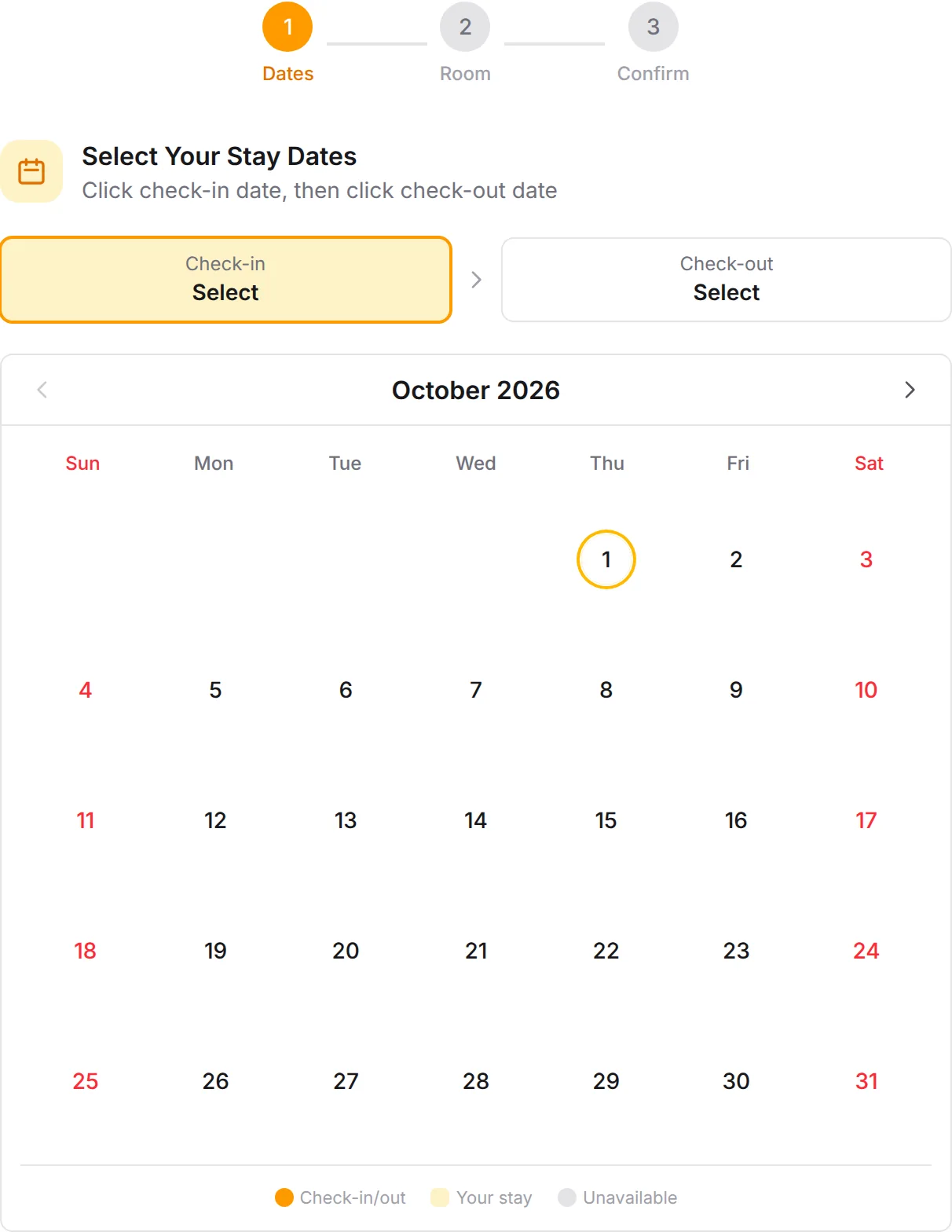
Guests choose check-in and check-out dates, pick a room and pay for their stay. Start from the Simple Room Booking template, put in your own rooms and share the link.
Trusted by these companies











































What the template sets up
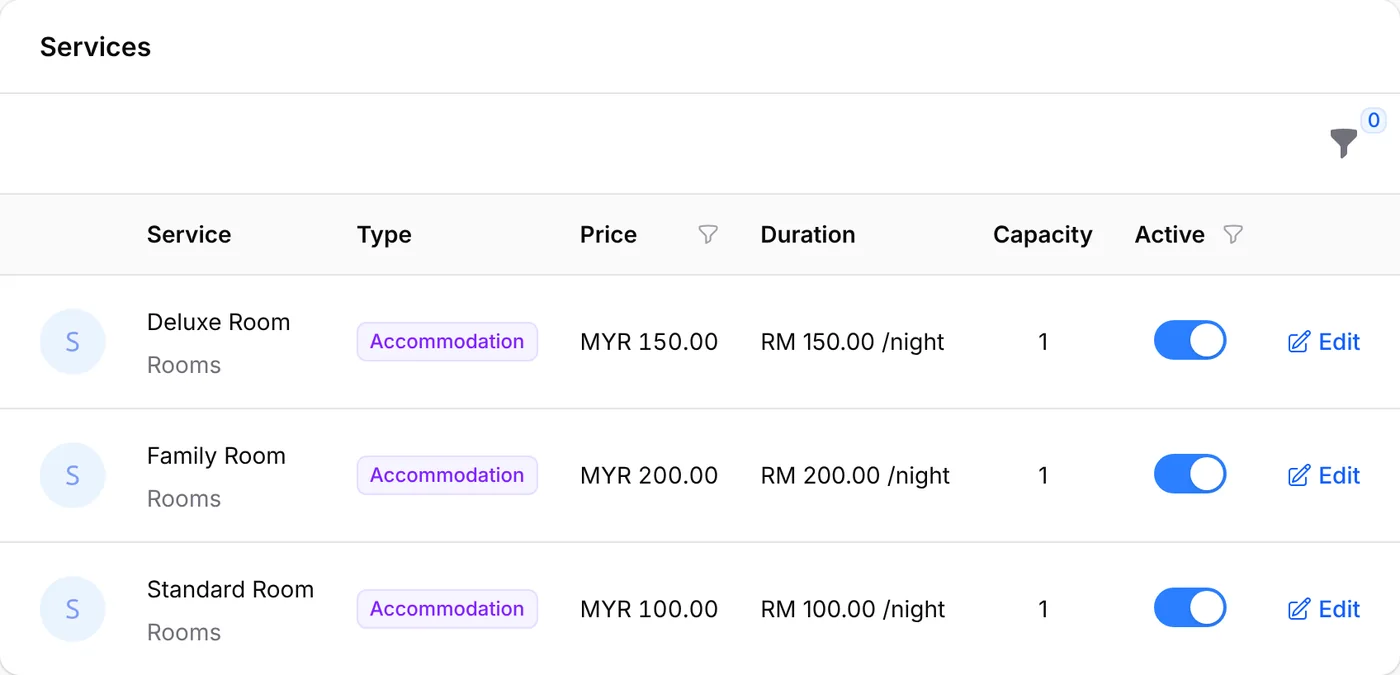
Use Template creates an Accommodation form with three rooms. It adds no add-ons and no staff.
- Three roomsStandard Room, Deluxe Room and Family Room, each with a sample price per night and category.
- No add-onsThis template keeps it simple. Add extras later on a room's Add-ons tab if you want them.
- No staff neededAccommodation forms book rooms by date, so the template adds no sample staff.
- Sample address, switched offThe form has a sample address and starts off, so nobody books before your details are in.
Let customers pay the way they like.
Bookings from your Simple Room Booking form take FPX, DuitNow QR and cross-border QR as standard. Cards, e-wallets and PayLater join once Bayarcash switches them on.













- Cash on Delivery
- Manual Bank Transfer

Make it yours in 4 steps
Four steps to open your rooms for booking.
Who it suits
For small places that rent rooms by the night.
- Homestays
- Guesthouses
- Budget hotels
- Hostels
Simple Room Booking
A real booking page built from this template. Please do not pay.
Start from a ready-made template
20 templates under Bookings → Forms → Templates. One click creates the form with sample services and staff; rename them and set your own prices.
- Appointment Hair Salon HaircutHair ColoringHair Treatment 2 staffSee the template
- Appointment Medical Clinic General ConsultationHealth Screening 2 staffSee the template
- Appointment Dental Clinic Dental CheckupTeeth CleaningTeeth WhiteningTooth Extraction 2 staffSee the template
- Appointment Spa & Wellness Full Body MassageFacial TreatmentCouple Package 2 staffSee the template
- Appointment Private Coaching Discovery SessionStandard SessionIntensive Session 2 staffSee the template
- Appointment Photography Studio Portrait SessionFamily SessionProduct Photography 1 staffSee the template
- Appointment Studio for Raya Shoot Family Portrait PackageMini SessionExtended Family Package No staff neededSee the template
- Appointment Car Service Center Basic ServiceFull ServiceCar Wash & Detail 2 staffSee the template
- Class Fitness Class Yoga ClassHIIT TrainingPersonal Training 2 staffSee the template
- Class Tuition Center Mathematics ClassScience ClassPrivate Tutoring 2 staffSee the template
- Class Workshop & Seminar Half-Day WorkshopFull-Day WorkshopOnline Webinar 2 staffSee the template
- Reservation Restaurant Reservation Regular TableVIP Room No staff neededSee the template
- Ticket Buffet Ramadan Iftar BuffetVIP Private Room No staff neededSee the template
- Ticket Escape Room Mystery MansionPrison BreakPrivate Room Booking No staff neededSee the template
- Ticket Tour & Attraction General AdmissionVIP Experience No staff neededSee the template
- Ticket Boat Tour & Island Trip Half Day Island TripFull Day Island TripSunset Cruise No staff neededSee the template
- Accommodation Simple Room Booking Standard RoomDeluxe RoomFamily Room No staff neededSee the template
- Accommodation Resort & Chalet Pondok SungaiPondok RimbaPondok Keluarga No staff neededSee the template
- Court Badminton Court Court ACourt BCourt CCourt D No staff neededSee the template
- Court Futsal Court Court 1 (Indoor)Court 2 (Indoor)Court 3 (Outdoor) No staff neededSee the template
Questions owners ask
Common questions about the Simple Room Booking template.
Is the price per night?
Yes. Accommodation services are priced per night. Guests pick check-in and check-out dates and the stay is priced night by night.
Can I charge more on weekends or public holidays?
Yes. On the room's Pricing tab, add a rate under Day & Time Rates. Each night is priced on its own, so a stay over a weekend can use two rates.
Why does my booking page show an address I do not know?
It is the template's sample. Replace it in Location / Address on the form's Booking Setup tab.
Step-by-step guides
Set it up with the help pages on docs.bcl.my.
Ready when you are.
Set up your first form today and try it out. When you are ready for real payments, connect Bayarcash and the same form goes live.