
A failed payment does not have to be a lost sale.
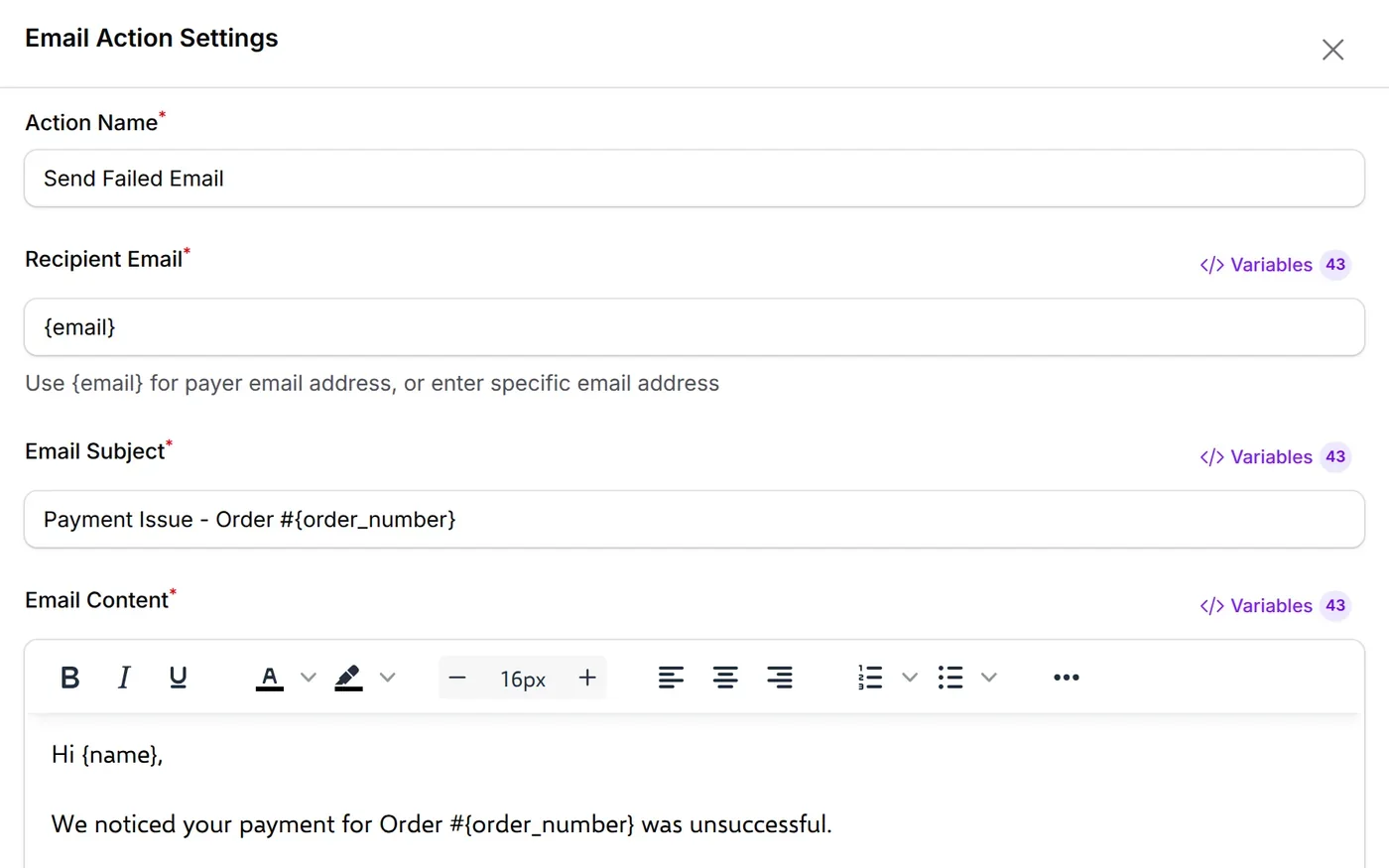
When a payment fails or is cancelled, BCL emails the customer a friendly note. For a failed online payment, the link opens their receipt with a Retry Payment button for the same order.
Trusted by these companies













































How it runs
The Status Changed trigger splits into two branches: one emails failed payments, the other emails cancelled ones.
Make it yours in 4 steps
Four steps from the template to a follow-up that runs on its own.
Who it suits
Useful wherever a bank decline or a timeout could cost you an order.
- Online shops
- Course and class fees
- Pre-order campaigns
- Higher-value orders
Start from a ready-made automation
14 templates under Automations → Templates. One click creates the automation, switched off, so you can set your forms and messages before you turn it on.
- After payment Thank You Email on Payment Transaction SuccessSend email EmailSee the template
- After payment Wabot Payment Notification Transaction SuccessWhatsApp with receipt link WabotSee the template
- After payment SMS Niaga Payment + Subscriber Transaction SuccessSMSAdd to SMS Niaga group SMS NiagaSee the template
- After payment VIP Customer Detection Transaction SuccessCondition on amountTwo emails EmailSee the template
- After payment Google Sheets Transaction Log Transaction SuccessAdd a row Google SheetsSee the template
- Failed or cancelled Google Sheets Update Status Transaction Status ChangedUpdate the row Google SheetsSee the template
- Failed or cancelled Incomplete Payment Follow-up Transaction Status ChangedFailed emailCancelled email EmailSee the template
- Failed or cancelled Abandoned Cart WhatsApp Transaction Status ChangedWait 1 hourWhatsApp reminder WhatsAppSee the template
- Leads Webhook on Lead Submission Form SubmittedHTTP Request Your own systemSee the template
- Leads Lead Form SMS Notification Form SubmittedSMS to you SMSSee the template
- Events Event Registration Reminder Participant CreatedWait 1 dayWhatsApp reminder WabotSee the template
- Events WasapBot Event Reminder Participant CreatedWait 1 dayReminder WasapbotSee the template
- Events Certificate Wabot Notification Certificate GeneratedWhatsApp the link WabotSee the template
- Affiliates Welcome New Affiliate Affiliate JoinedWelcome emailAdd to Mail Niaga list Email + Mail NiagaSee the template
Questions owners ask
Common questions about the Incomplete Payment Follow-up template.
Why does the history show many Skipped runs?
The trigger fires on every status change and the conditions only let failed or cancelled payments through. That is expected. To keep the history clean, set To Status in the trigger.
Can the customer pay again for the same order?
Yes, for a failed online payment. The email links to {receipt_url}, and the receipt page shows a Retry Payment button.
Should I use it for bookings and seated events?
Their receipt pages do not offer Retry Payment. If you sell those too, set Payment Source Type to Payment Form in the trigger.
Step-by-step guides
Set it up with the help pages on docs.bcl.my.
Ready when you are.
Set up your first form today and try it out. When you are ready for real payments, connect Bayarcash and the same form goes live.